
CapCrush
Any video or live, in your language
CapCrush shows translated captions in a small window over the video or live app you’re watching.
For iPhone and Android, in 60 caption languages. Try it for 5 minutes without logging in.


When to use CapCrush
K-pop lives
Understand your idol on Weverse, YouTube and more.
Instagram lives
Follow a live in another language as it happens.
TikTok lives
Understand streamers who speak another language.
Korean dramas without subtitles
Clips you can already watch, when there are no subtitles in your language.
Two ways to watch
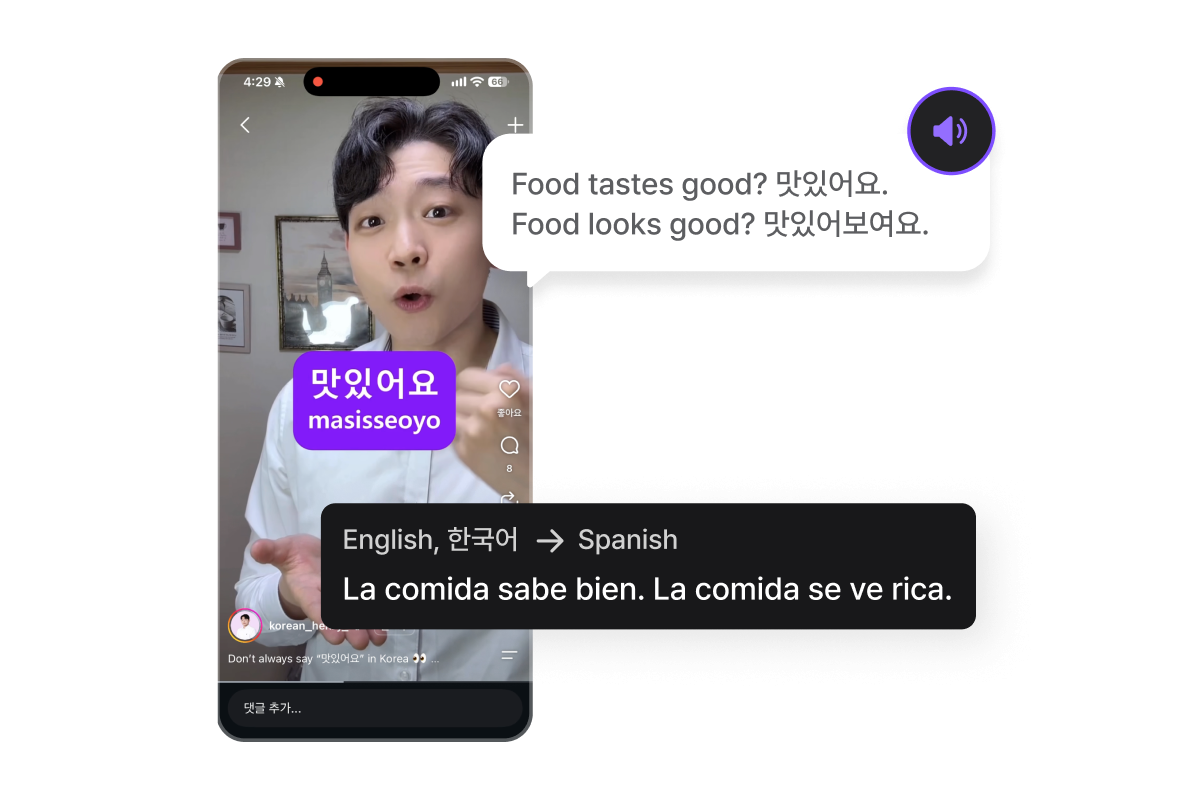
Translated captions
Captions over the app you’re watching
CapCrush shows translated captions in a small window on top of your video or live app. The app shows captions only, with no interpreter voice.
- 60 caption languages
- Try it for 5 minutes without logging in

BizCrush Live
Captions or interpreter voice
In Chrome or Edge on a computer, share the tab that’s playing. Read captions, or choose Voice mode to hear the interpretation. Voice is available only in the PC browser.
- Text mode and Voice mode
- Nothing to install
Captions in your language in three steps
- 01
Choose your language
Open CapCrush and pick the language you want captions in.

- 02
Turn on captions
Tap the captions button and start the screen broadcast.

- 03
Watch in your language
Go back to the video and play it. You can follow along with the captions shown on screen.
Video: Instagram @korean_henry_
- 01
Choose your language
Open CapCrush and pick the language you want captions in.
- 02
Allow the permissions
Allow “Display over other apps” and screen and audio capture, so CapCrush can show captions on top and listen to the sound of the app you’re watching.
- 03
Play your video app
Go back to the app you were watching and play the video or live. Captions appear in a small window on top.
- 01
Open the live
Play the live in Chrome or Edge. When you start, pick the browser tab where the live is playing and turn on “Also share tab audio”.
- 02
Choose a language and mode
Pick your language, then choose Text mode to read captions only, or Voice mode to hear interpreted audio as well.
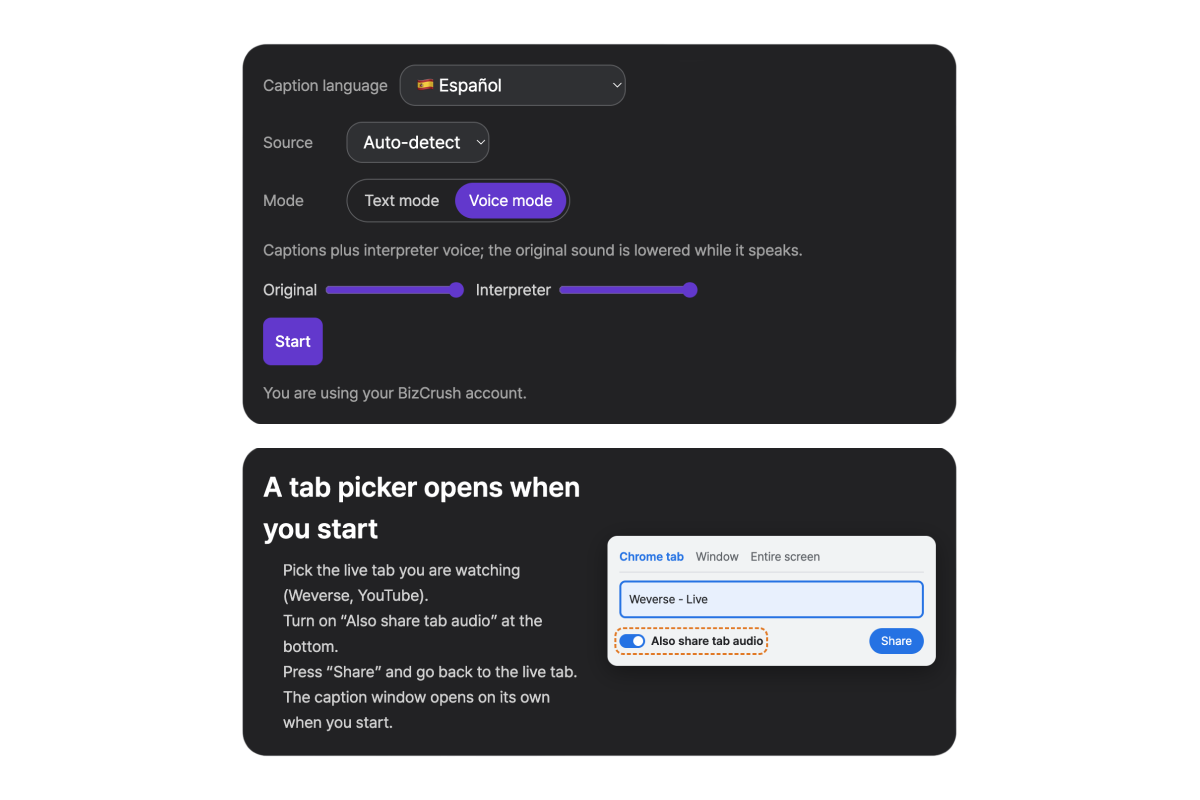
- 03
Watch in your language
Enjoy the stream with real-time captions and voice translation.
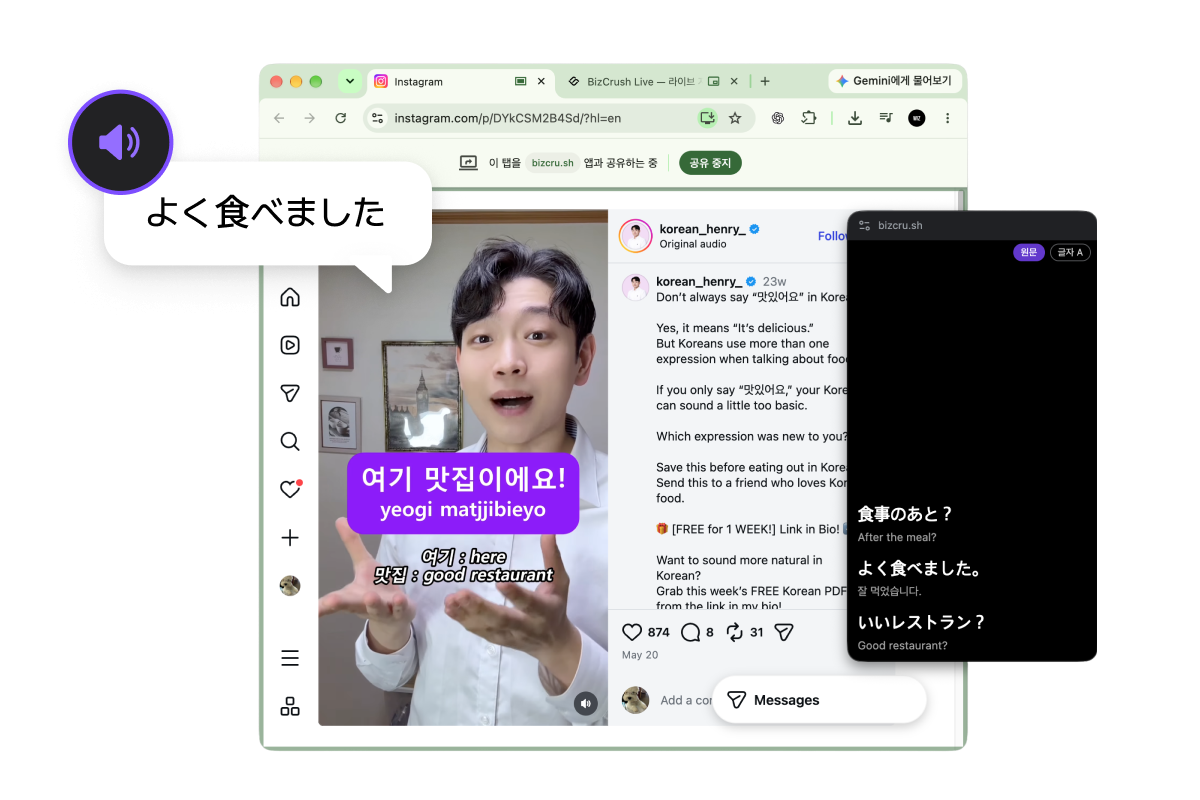
Video: Instagram @korean_henry_
Try it free first
Try without logging in
5 minutes in total
Continue with a free account
最多约 3 小时
Want to use it longer?
See plansFrequently asked questions
Can I use it for free?
What if speakers mix several languages?
Which languages are supported?
App (iPhone · Android): translated captions only (app menu in Korean and English)
PC browser: captions or interpreter voice
Is the live audio saved?
How fast are the captions?
What happens to the audio?
How do I delete my account?
Does it work with every app?
Does it read the translation out loud?
Do I need a separate membership?
Can the artist or others in the chat see it?
Which browsers are supported?
Watch your next video in your language
Download CapCrush for iPhone or Android, or use it in your PC browser.