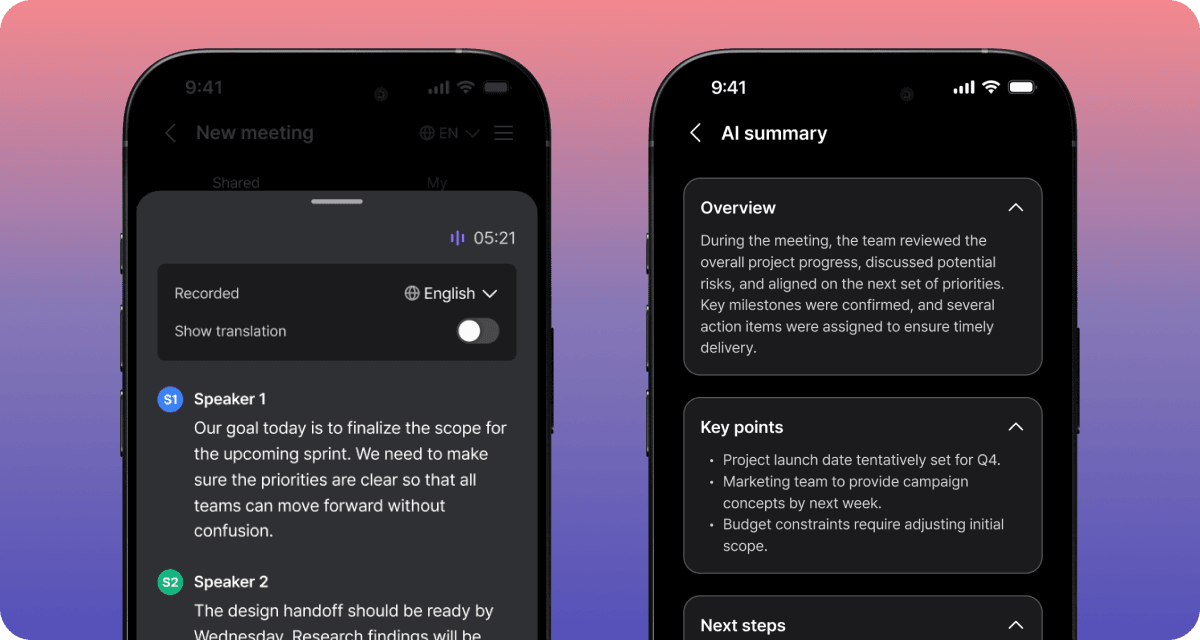
ver 0.28.29
Quick Listening Language Controls
- Check your listening language on the transcript screen, turn it off with one tap, and see the sentence being read highlighted. Your listening language is also applied to your translation settings.
Keyword Editing on Mobile
- The keyword and synonym editor is redesigned for mobile.
Live Captions That Survive Dropouts
- Live captions pick up where they left off on unstable connections and recover missing lines. Late translated audio is no longer skipped.
Cleaner Meeting Notes
- Fixed duplicate same-language captions in meeting notes and an error when deleting meetings.
ver 0.28.22
Up to 3 Translation Languages at Once
- See translations into up to 3 languages on one screen, appearing progressively as people speak.
Speed and Accuracy Modes
- Choose faster or more accurate live captions to suit the situation. Accuracy mode uses more context, so translations can take 5 seconds or more.
Bigger Language Picker
- The language picker is larger, so you can find the language you want at a glance.
Translations Stay in Mixed-Language Meetings
- Translations no longer disappear in meetings that mix languages, and same-language duplicate translations are fixed.
Keyword and Context Permissions
- Only the host can edit meeting keywords and background information.
ver 0.28.18
3- and 4-Hour Recording Now Generally Available
- 3-hour and 4-hour recording are now regular features. Only 8-hour recording is still marked beta.
Traditional Chinese (Taiwan)
- Added Traditional Chinese (Taiwan) as a meeting source and translation language.
Hosts See Translation Languages
- Hosts and co-hosts can now see the translation languages other participants chose.
macOS App on Mac
- Opening the iOS app on a Mac now points you to the dedicated macOS app.
No More Repeated Live Captions
- Fixed earlier conversation repeating without speakers when viewing live captions on another device.
ver 0.28.15
Keywords & Context Tab
- Set a default context and meeting categories once, and they apply to every meeting.
More Context File Types
- Upload Word, PowerPoint, Excel, CSV and text files as context. Files uploaded from a meeting apply to that meeting right away.
Faster Keyword Extraction
- Extracting keywords and summaries from files is much faster.
More Stable Captions
- Fixed live captions showing only partially, overlapping with past recordings, and the scroll position jumping.
Recording Uploads Resume
- Recording uploads continue once your network comes back.
ver 0.28.6
Manage Slack Channels in the App
- Add and change the Slack channels that receive your meeting notes right in the app. Selected channels appear at the top of the list.
Slack Reconnect Prompt
- When your Slack connection expires, we let you know and you can reconnect in one step.
Simpler Tag Setup
- You no longer need to choose an AI summary action when creating a tag.
More Reliable AI Answers
- AI answers stay on screen even if they are cut off midway, and messages are no longer sent twice.
Recording and Translation Settings Stay Put
- Recording settings and translation language choices are kept, and call recording import no longer stops after an app update.
ver 0.28.2
PDF Reference Materials
- You can now add PDF documents as reference materials when preparing a meeting.
API Key Settings
- You can register and manage API keys again from Settings.
Better Live Captions
- Fixed the last caption line being hidden behind the bottom buttons and translations disappearing.
Clearer Meeting Bot Requests
- The button that calls the meeting bot now says exactly what it does.
Google Calendar Connection
- Improved Google Calendar connection stability and refresh.
ver 0.27.16
Realtime Translation Mode
- We added Realtime Translation Mode.
More Reliable Call Recording and Speech Recognition
- Call recording and live speech recognition are more stable.
Slack Integration Stability
- The Slack integration works more reliably.
Meeting Language Settings Stay Put
- Fixed an issue where meeting content language settings were reset.
ver 0.26.16
Easier Rename Meetings on Desktop App
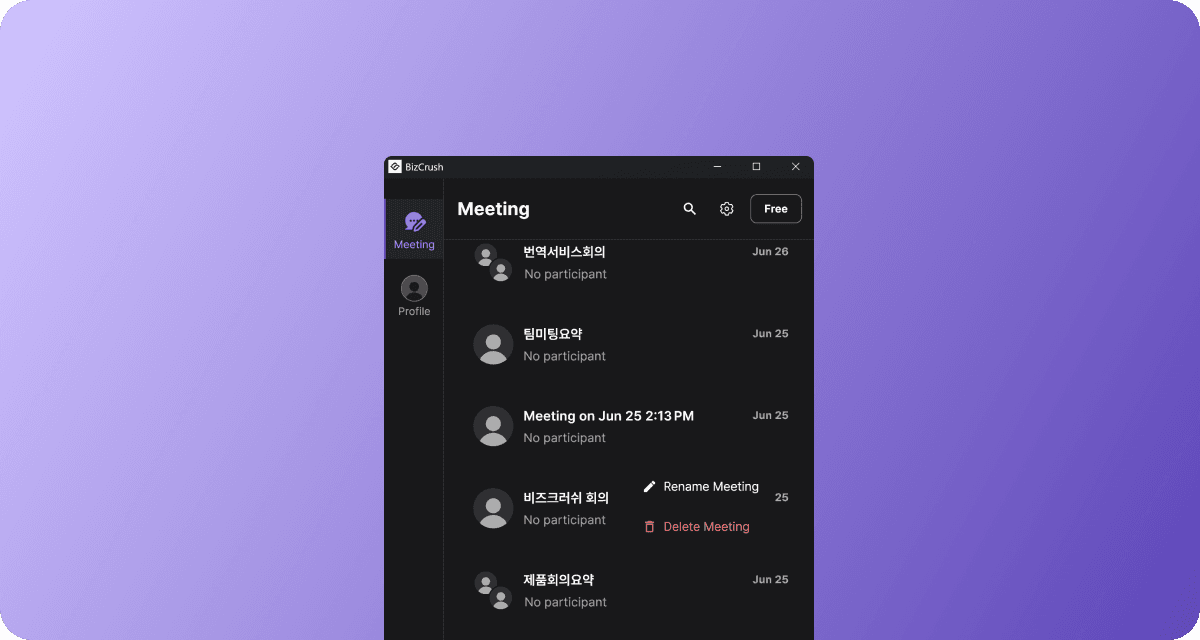
- You can now right-click a meeting in the Windows and macOS desktop meeting list to rename it directly.
Custom View Options
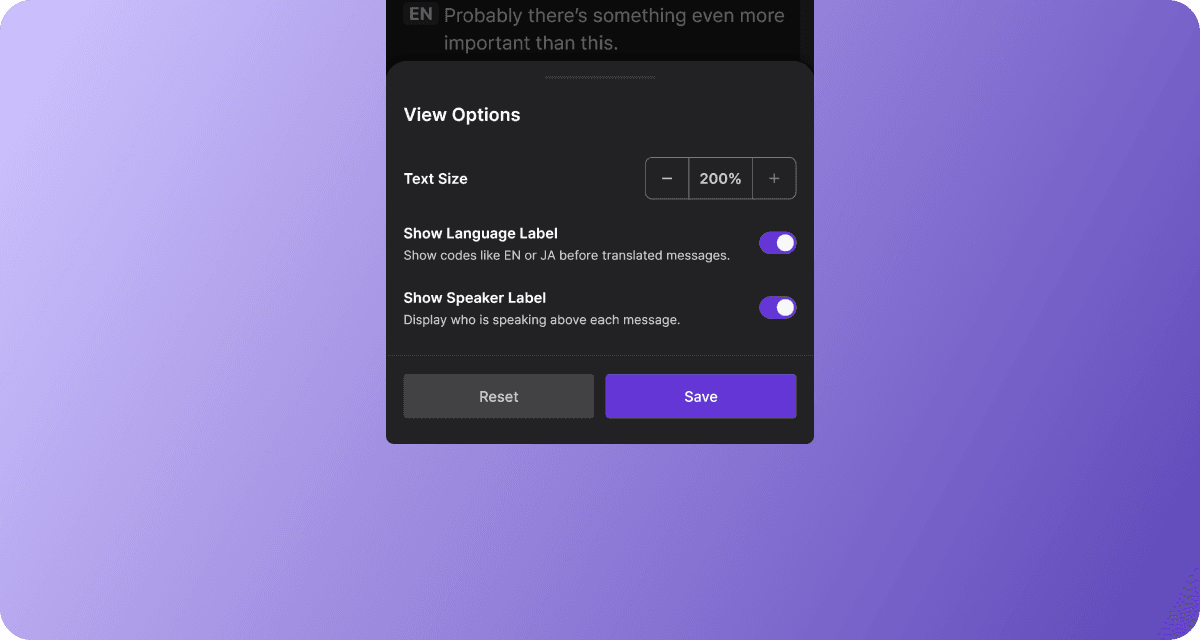
- You can increase the transcript text size up to 200% and turn language and speaker labels on or off, allowing you to easily customize the display to your preferences.
Choose QR Code Save Location
- You can pick where to save a QR code image when downloading it from the desktop app.
ver 0.26.8
Search Meeting Transcripts
- Quickly find any keyword within a meeting transcript and jump directly to the relevant part of the conversation.
Language Labels in Live Meetings
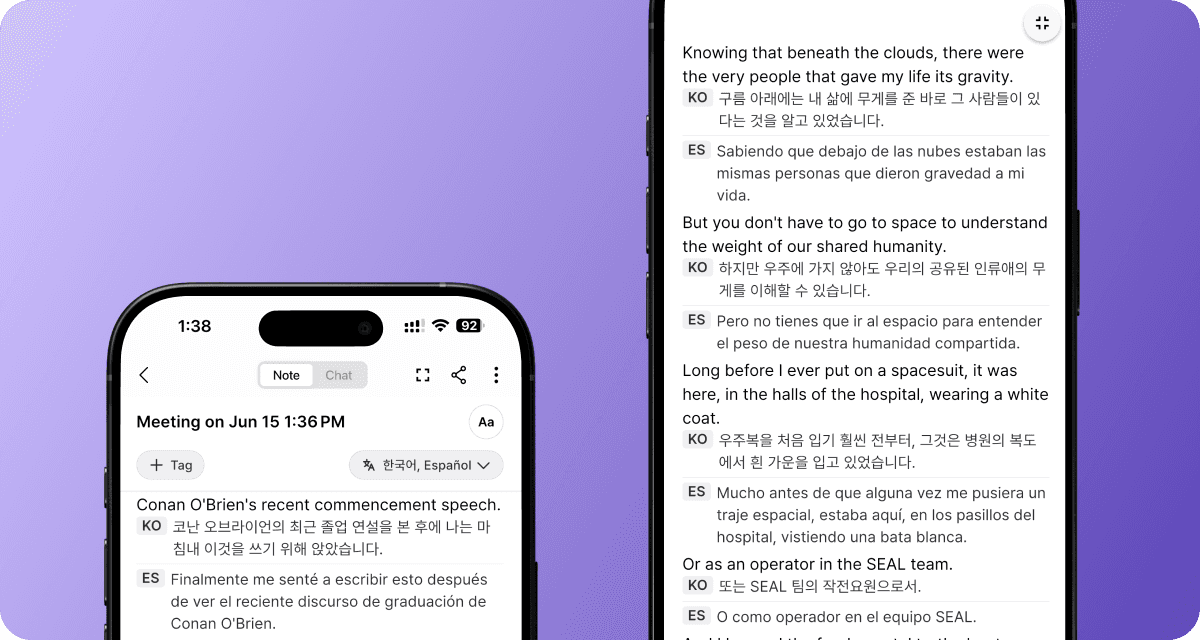
- Language labels are now displayed more clearly, helping you quickly identify translations across multiple languages.
Full-Screen Mode
- Full-screen mode now hides navigation and menu elements during meetings. Focus on transcripts and translations without distractions.
ver 0.26.7
Smarter Transcript Editing
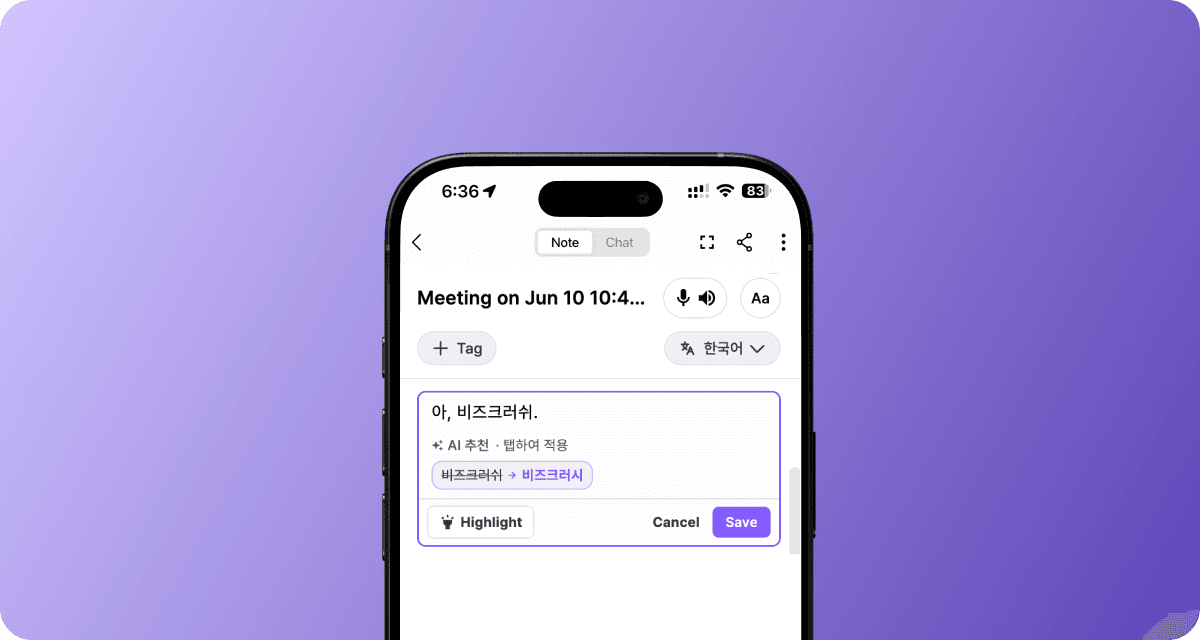
- Get AI-powered correction suggestions for potential real-time transcript errors
Meeting Room Menu Redesign
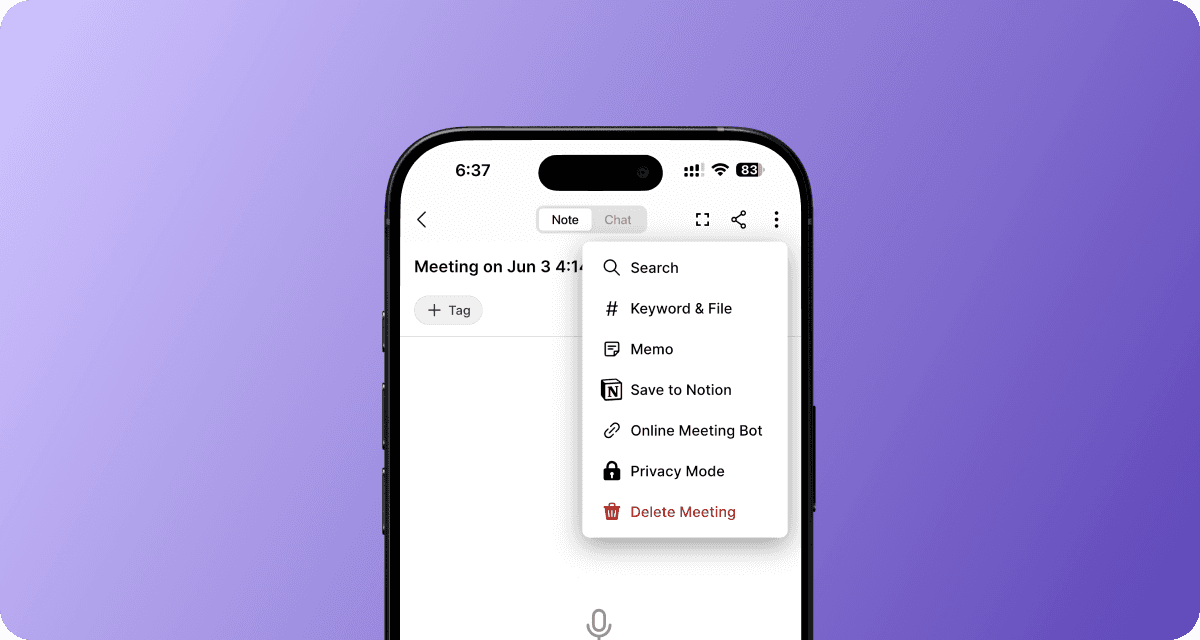
- Reorganized the meeting room menu so that frequently used tools like Personal Memo and Notion uploads are easier to find
Sharing UI Update
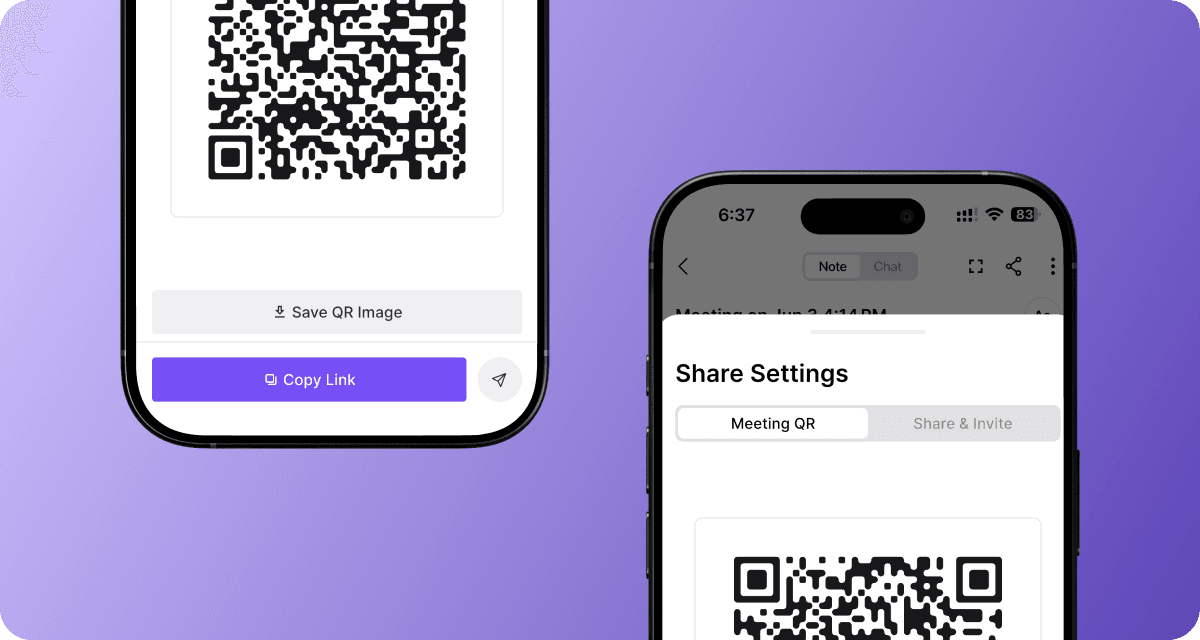
- Moved sharing actions into a more intuitive layout.
Larger Live Transcript Text

- Increased the maximum transcript text size from 125% to 150% for better readability
ver 0.26.3
Resize Live Transcripts

- Make live transcripts easier to read by adjusting the preferred font size in the meeting room.
Share Meetings in One Click
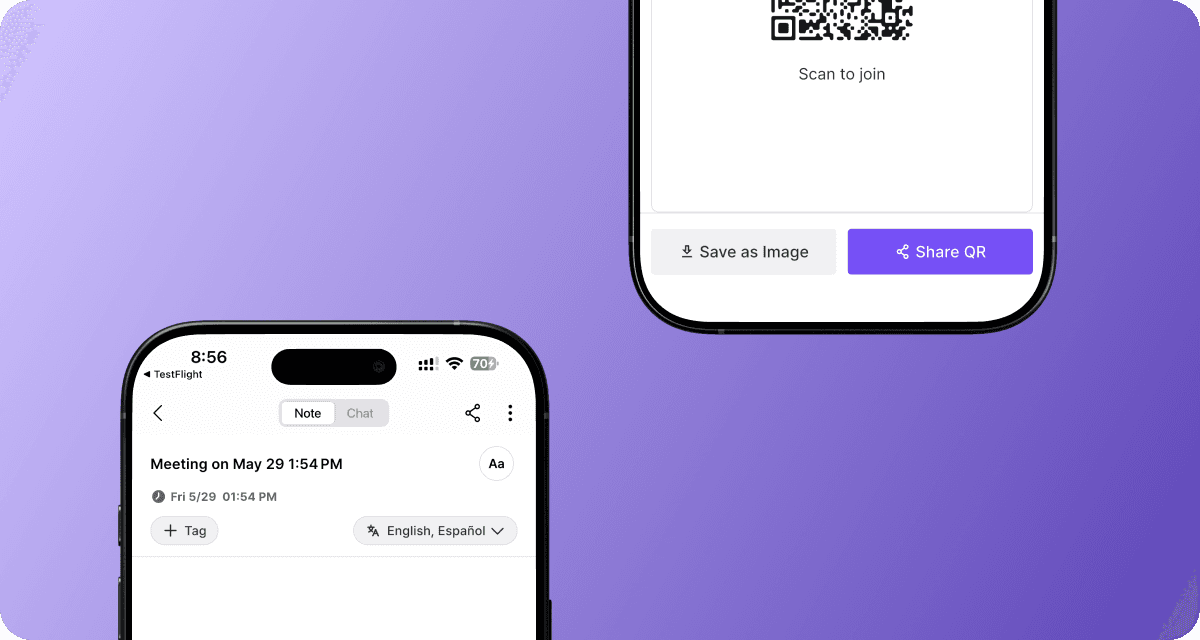
Invite participants faster with the new Share button.
- Download a QR code image and share meetings with large groups more easily
Manage Keywords & Context More Easily
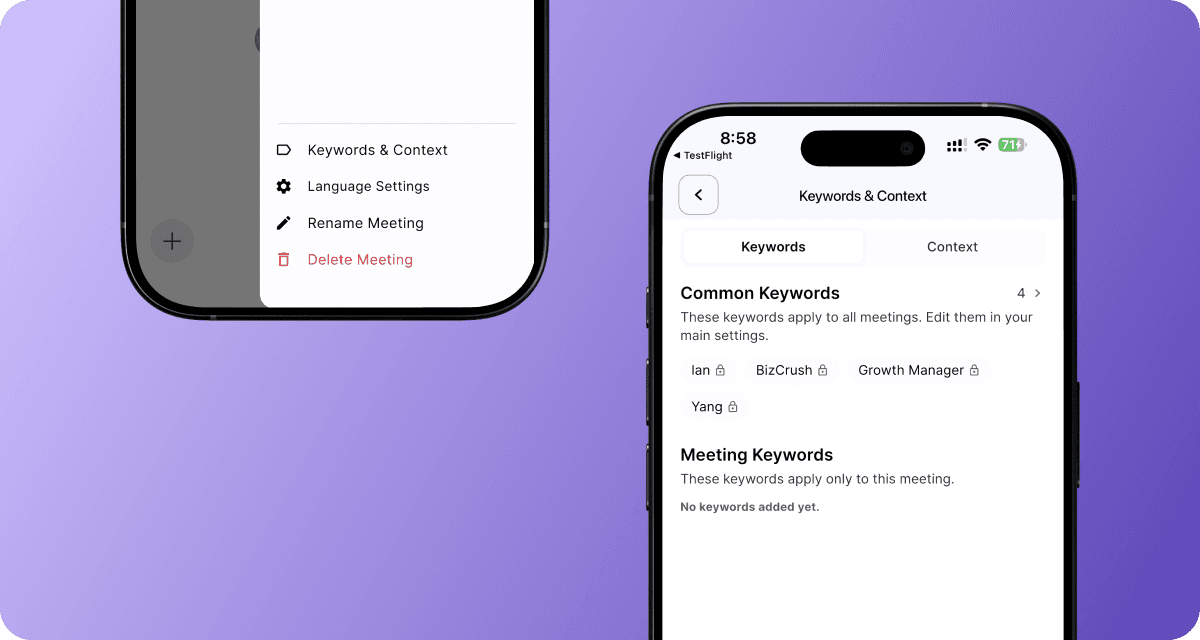
- Add and edit meeting keywords and context from one place, right inside the meeting room.
ver 0.26.0
Post-Meeting Transcript Translation
- You can now translate the entire transcript of any completed meeting into your preferred language with a single click. This works for both new and previously recorded meetings.
Google Calendar Sync Support
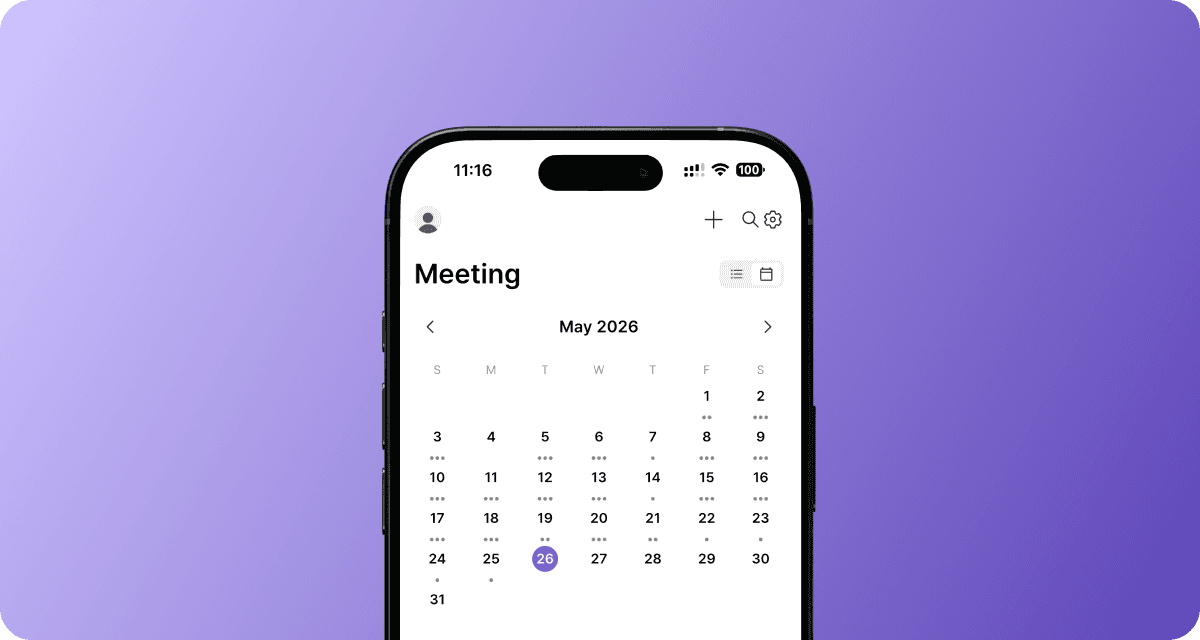
- Connect with Google Calendar to automatically sync upcoming meetings and manage them with ease.
More Precise Sentence Segmentation
- Captions and transcripts now handle abbreviations (e.g., Mr., Dr.) and sentence endings more naturally across different languages, making them easier to read.
ver 0.25.8
Set Up to Two Translation Languages on the Web
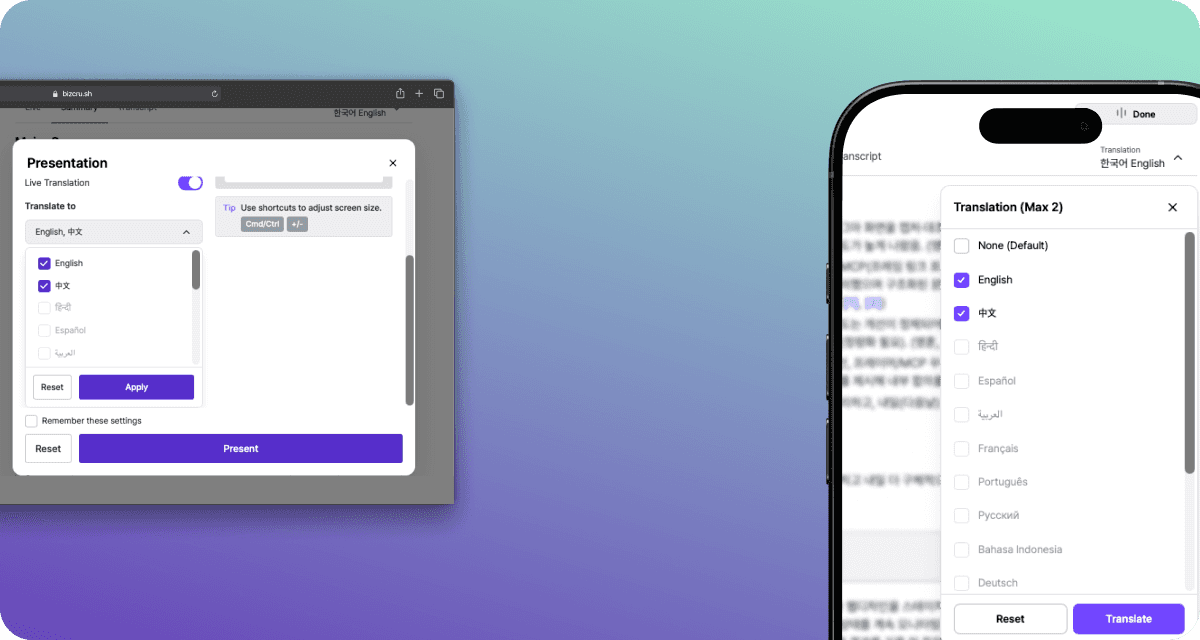
- You can now choose up to two translation languages on the web, making multilingual meetings easier to follow.
More Reliable Notion Integration
- If you need to renew your Notion permissions or run into connection issues, guidance is provided to update the necessary permissions.
Faster Real-Time AI Assistant Responses
-
No more waiting for AI assistant responses and replies now appear in real time.
-
Watch streaming responses live as they are generated.
ver 0.24.10
More accurate real-time captions
- Transcripts are now cleaner and more accurate, with fewer incorrect words and sentences that better reflect what was actually said.
More reliable translations
- Translations are now more stable and continue seamlessly even when errors occur, delivering complete results without interruptions.
ver 0.24.8
Live transcription for co-hosts
- Co-hosts can now control and use live subtitle overlays during meetings, not just the primary host.
More reliable calendar-scheduled meetings
- The meeting bot now joins calendar-booked meetings more consistently, keeping real-time subtitles stable without interruptions.
Cleaner speaker separation
- When speakers switch, transcripts stay clearly separated with no more mixed sentences.
Faster live transcription & translation
- Captions and translations kick in faster right at the start of each meeting.
ver 0.24.1
Meeting summary push notifications

- Participants now get a push notification when a meeting summary is ready.
Cleaner Transcripts
- Merges fragmented speech and removes filler words for more readable transcripts.
More Reliable Audio
- Automatically switches to a backup recording if issues occur, so nothing gets lost.
Sensitive info protection
- Automatically redacts sensitive information in meetings for safer sharing.
ver 0.23.10
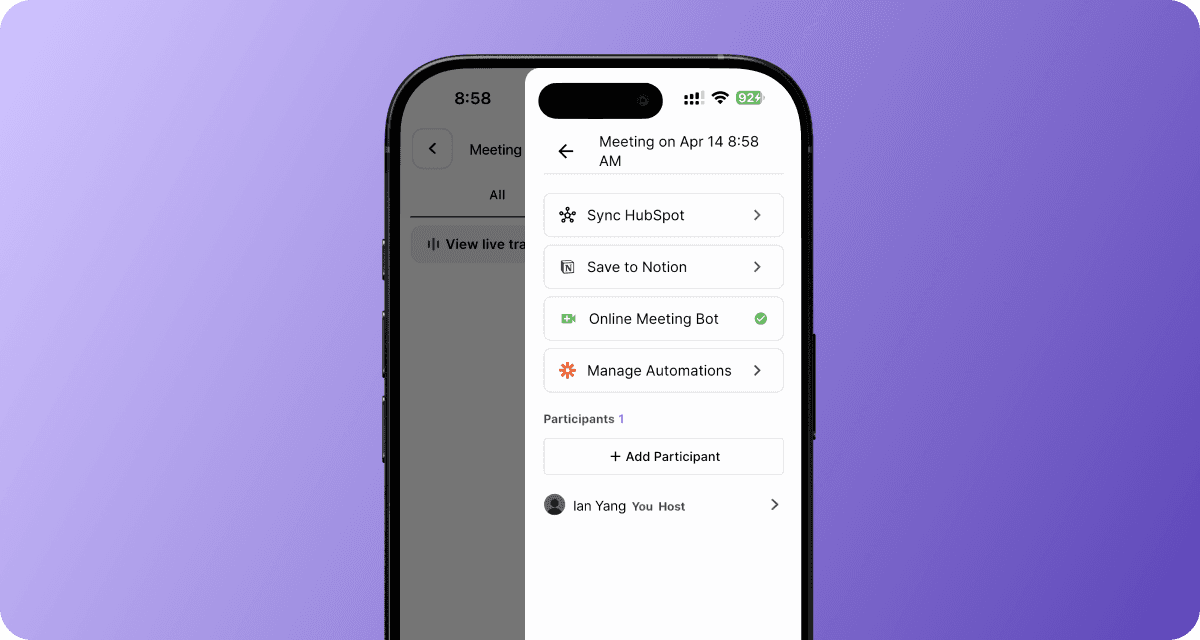
Online Meeting Support
-
You can now record your online meetings with the BizCrush bot.
-
Open the side menu in the top-right corner of the meeting room.
-
Select “Online Meeting Bot” and paste your online meeting link to invite the BizCrush bot. (Note: You must accept the BizCrush bot’s participation in the online meeting so it can record the session.)
-
The following meeting platforms are supported:
-
Zoom
-
Google Meet
-
Microsoft Teams
-
Assign a Co-host
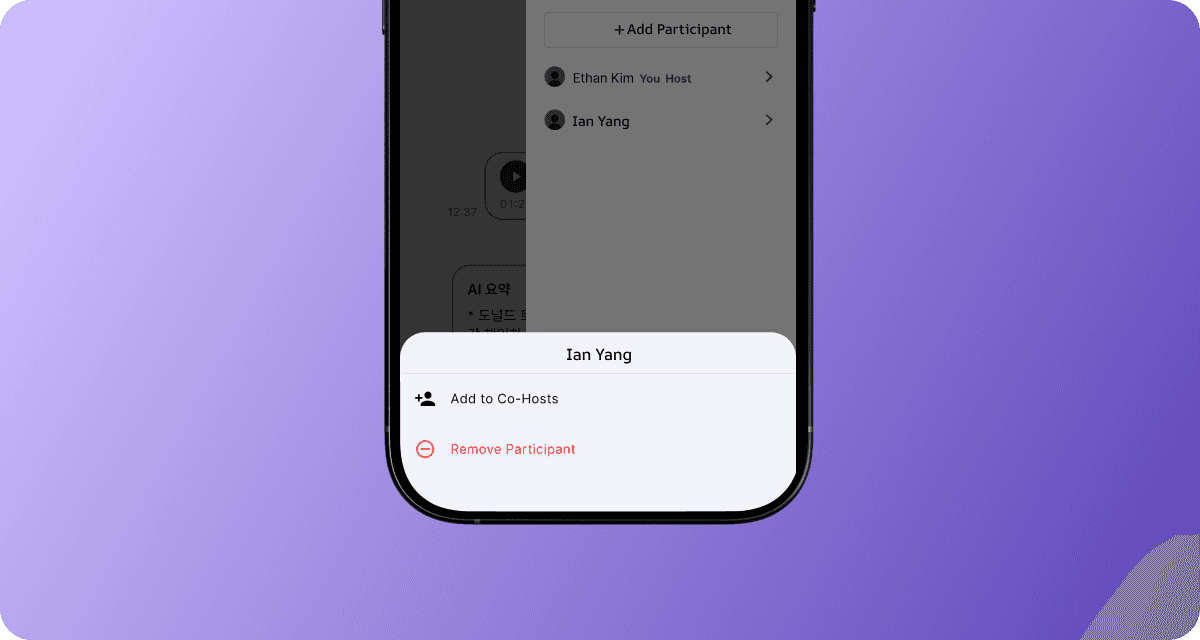
-
You can now assign invited attendees as co-hosts, allowing them to manage the meeting room.
-
Open the side menu in the top-right corner of the meeting room.
-
Tap and hold a participant for 3 seconds to open the “Co-host” menu.
-
Co-hosts have full access to meeting room controls as the host:
-
Edit live transcripts
-
Start/stop recording
-
Rename the meeting room
-
Assign speaker labels
-
Create and send follow-up emails
-
Accurate participants’ names in Notion
- Participants' names are now displayed more accurately on the Notion page.
More natural live transcription during quiet moments
- Live transcription now recognizes silent moments during conversations to generate a more natural transcript.
ver 0.23.3
Accurate Speaker Names in Summary Emails
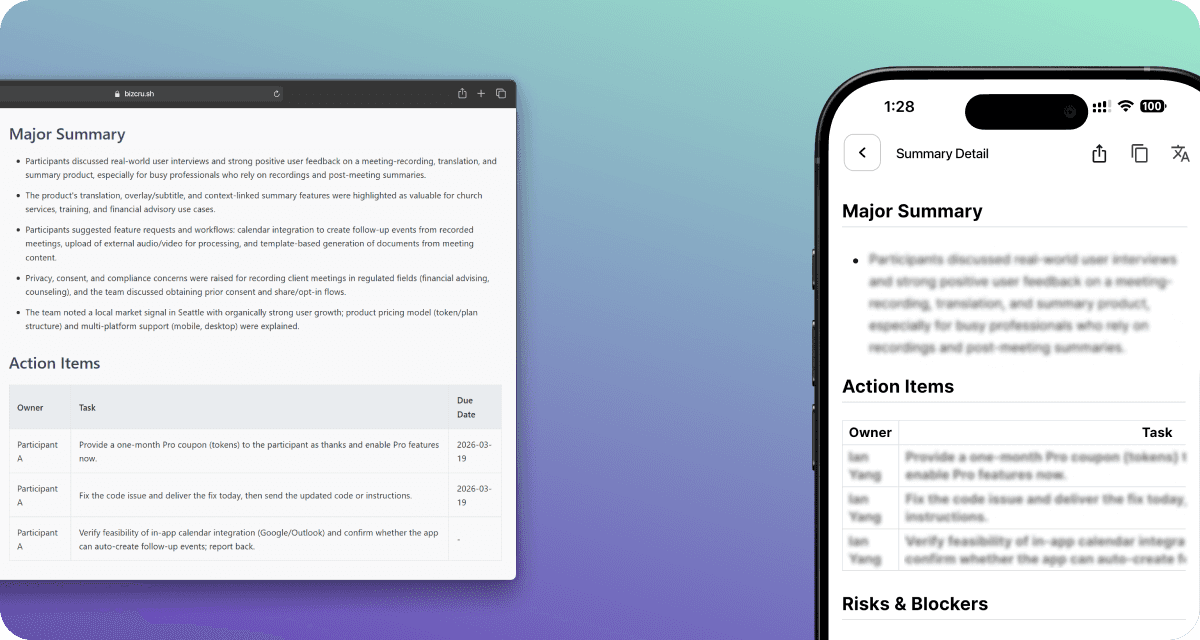
- Summary emails now reflect speaker names more accurately based on the meeting script.
Improved Multilingual Meeting Accuracy
- Improved language detection and translation quality in meeting transcripts involving +3 languages, with no additional setup required.
ver 0.22.32
More natural live translation
- Recent conversation flow and context now help keep live translation tone and phrasing more consistent.
ver 0.22.32
Improved Meeting Summary Table
- The meeting summary table now looks cleaner across the app, email, and Notion.
More Accurate Speaker Detection
- If the speaker’s identity is recognized during the meeting, the AI automatically updates the transcript afterward and assigns the correct speaker names to each part of the conversation.
Improved Long Speeches Handling
- Long speeches are split with accurate timestamps for easier playback.
Enhanced Push Notification
- Meeting notifications are now delivered more reliably.
ver 0.22.25
“View Meeting" button in Emails

- Open the full meeting record directly from your email with one click.
Voiceprint Speaker Identification
- (Pro plan Only) Automatically detects who’s speaking and labels them by voice
Cleaner Email Summaries
- Meeting summaries are now clearer, and easier to scan.
Accurate translation — even for short and broken sentences
-
Under 300-character utterances are translated with full context accuracy.
-
Even if speakers stop mid-sentence (”um”, “uh”, “like”), the system reconstructs context and delivers coherent translations.
ver 0.22.20
AI Speaker Name Recognition
- Speaker names are automatically inferred from the conversation context and assigned to speaker labels when identified, enabling more accurate meeting summaries.
Live Speech-to-Speech Interpretation (Web)
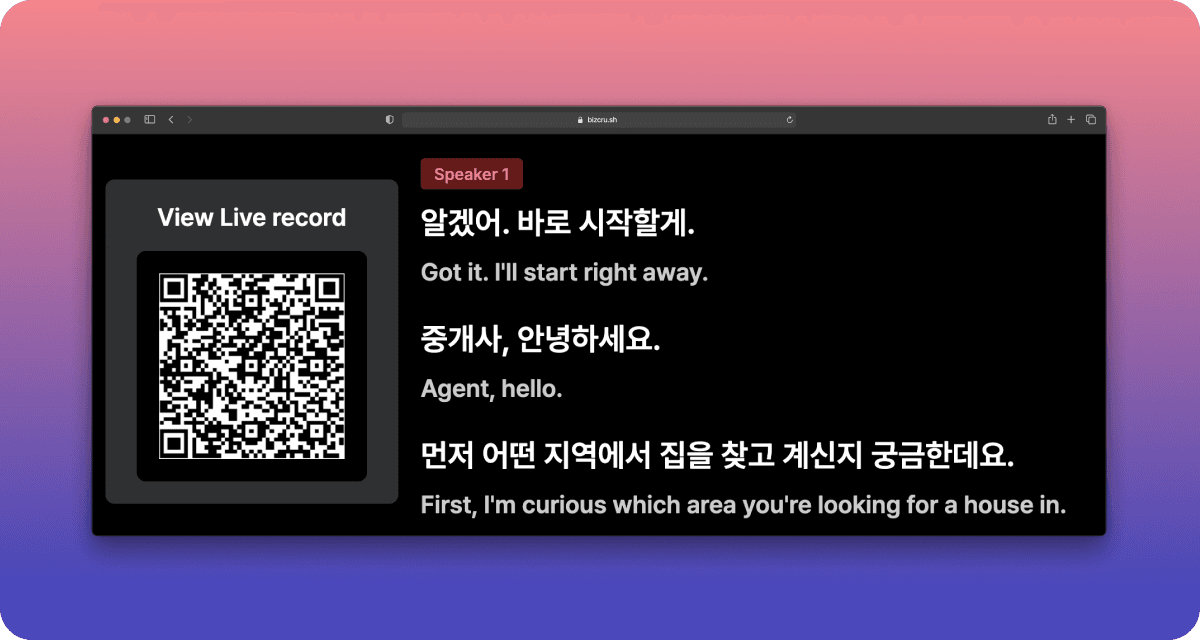
-
We provide real-time spoken interpretation in your preferred language during live meetings — no setup required.
-
Live captions and spoken translation are available at the same time.(Available during live meetings + and for up to one hour after the meeting ends)
Shared Meeting access & Credits
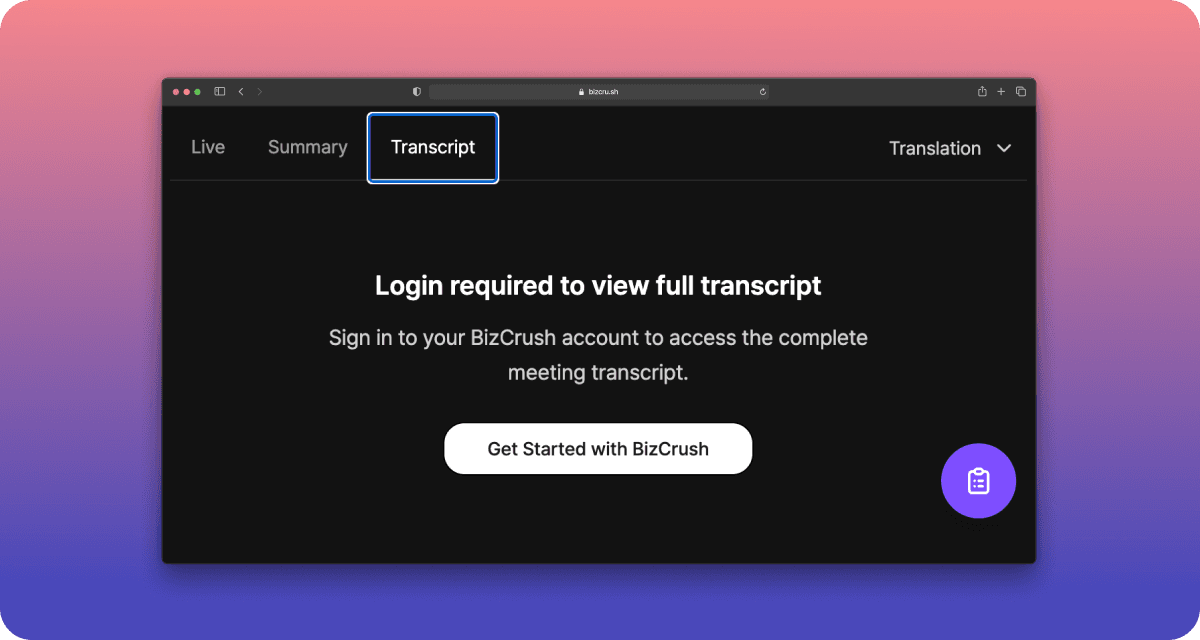
-
You can access full transcripts for shared meetings after logging in, even after the meeting ends.
-
When a new user signs up and veiws a meeting you shared, the host receives one hour of additional meeting credit. The more meetings you share, the more credits you can earn.
Improved Multilingual Transcription
- Non-English languages are now detected and transcribed more accurately.
Faster Real-Time Captions
- Live captions load faster and feel smoother on the web.
ver 0.22.19
Live Multilingual Summaries
- Live meeting summaries are now translated automatically into multiple languages based on your meeting settings.
Improved Notion Integration
- Meeting notes are now cleaner and easier to manage in Notion, with participants and original scripts neatly linked for quick reference.
Better Translation Quality
- More consistent tone in translated meeting summaries.
Live Transcription Word Boundary Handling
- Words no longer get cut in the middle. No more cut words.
ver 0.22.17
Improved Audio - Transcript Sync on iOS
- Audio playback now aligns more accurately with transcripts on Apple devices.
(Note: Applies to newly recorded sessions. Older recordings will be updated later.)
ver 0.22.15
Smarter Summaries
- Meeting summaries now highlight key decisions, schedules and next steps, so you can see what was decided at a glance.
More Accurate Speaker Separation
- After the meeting, speaker separation is now more precise, reducing manual cleanup.
Easy speaker label editing
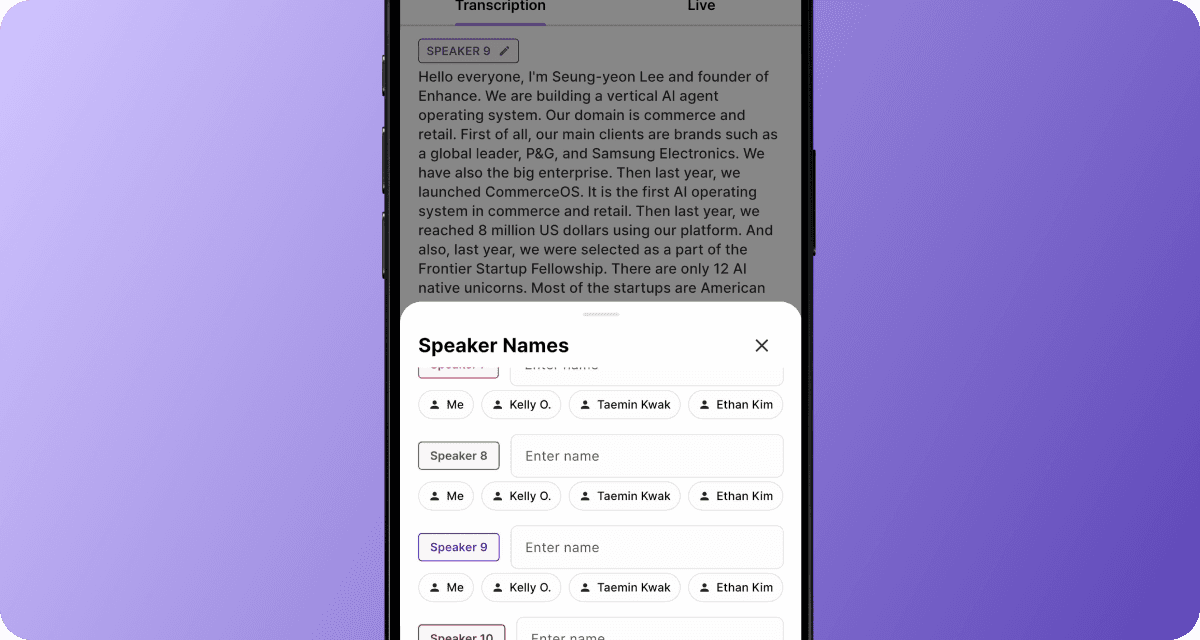
- When editing speaker labels, the speaker list automatically scrolls to the selected speaker for easier editing.
Improved Live Transcript
- Live transcripts detect sentence boundaries more accurately, producing cleaner, more readable text in real time.
ver 0.22.13
Add Participants via Business Cards
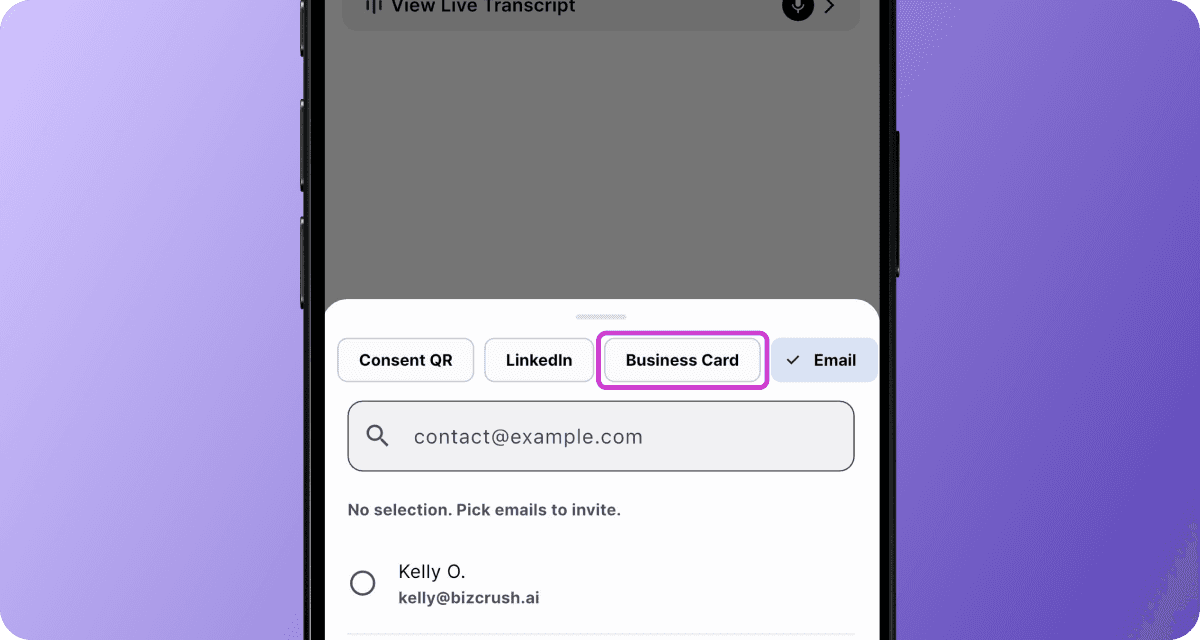
- Scan a business card in the meeting room to automatically capture and add participant details.
Export Meeting Data to Excel

- Export summaries and participant details (same data as our Sync HubSpot) as an Excel file from the meeting options.
-
Select Export to Excel to download or share
-
Preview up to 1,000 items instantly
-
On desktop, the Excel file opens automatically
-
On mobile, share directly from the app
-
Control Recordings from System UI
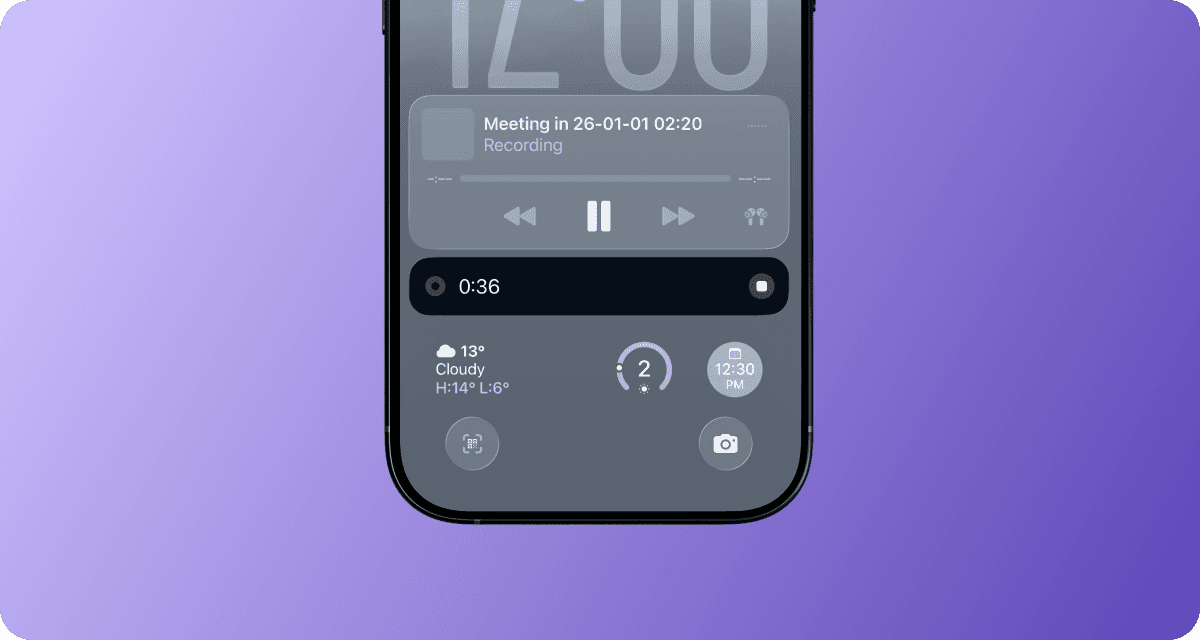
- Start, pause, and manage live recordings directly from the system UI on both iOS and Android.
Jump to Source from Summaries
- Click any cited source in a summary to jump directly to the corresponding section in the transcript.
Quickly Delete or Leave Meetings
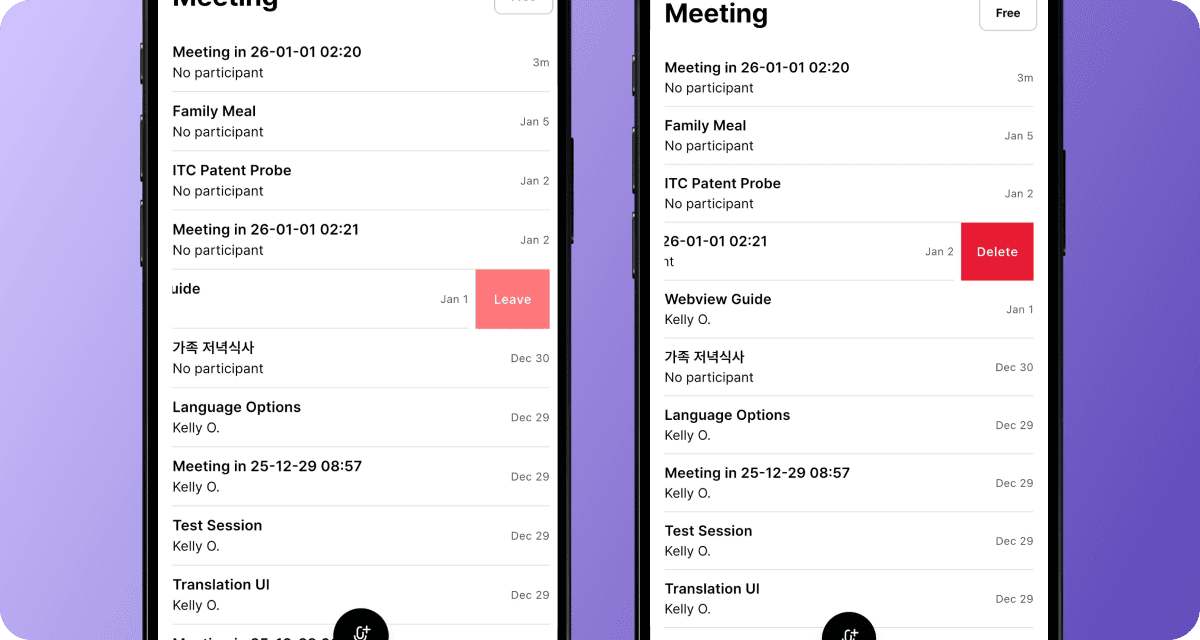
- Swipe left on a meeting to quickly delete it or leave invited meetings.
Meeting Tabs Renamed to All & Me

- Meeting rooms now use All and Me tabs to clearly separate shared content from private notes, follow-ups, and AI questions.
ver 0.22.40
Multiple Translation Languages Support
-
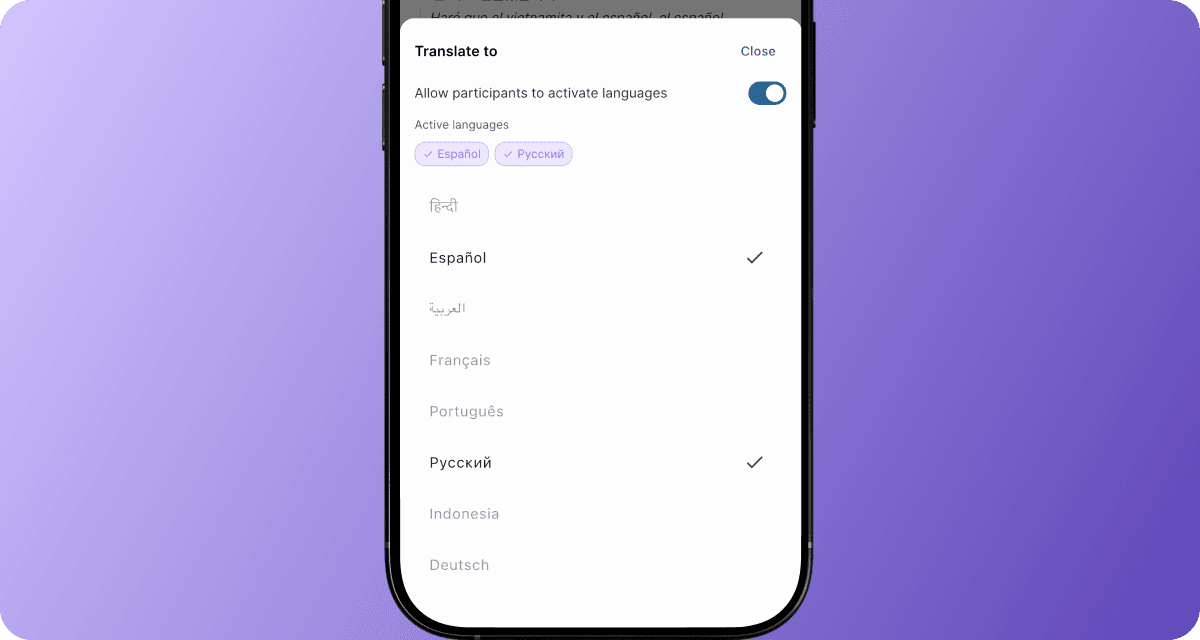
View multiple translation languages side by side on a single device.
-
In translation settings, the host can pre-select multiple translation languages, allowing participants to switch and view them anytime during the meeting.
9 New Languages Added for Translation
-
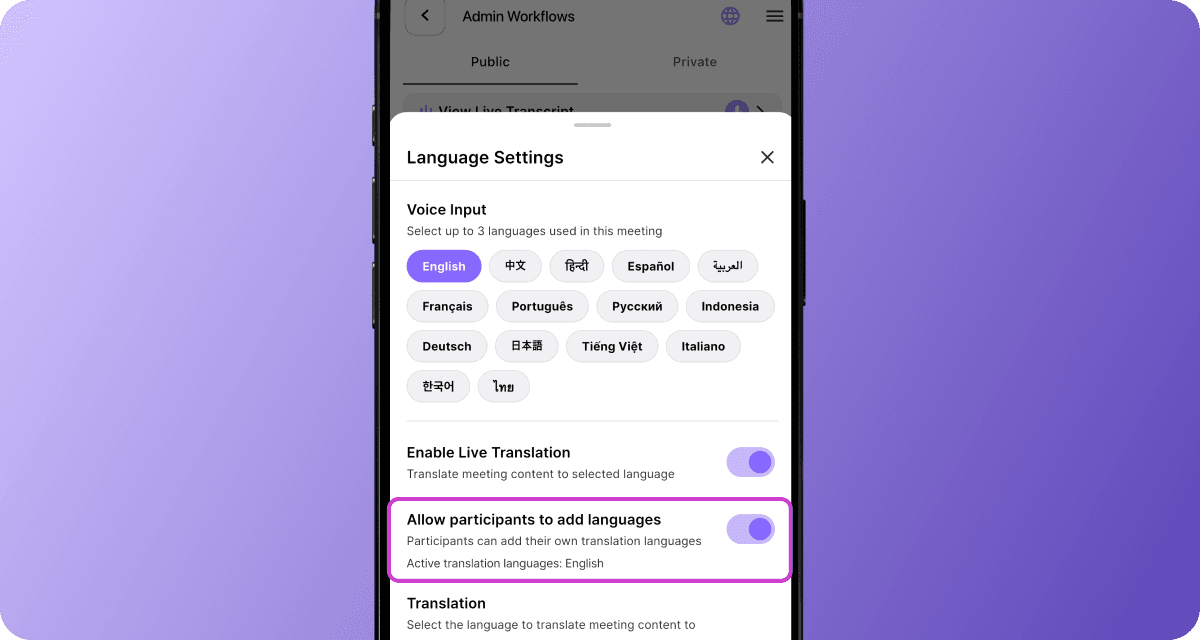
When the host enables “Allow participants to add languages” in the Language Settings tab, participants can view translations in their preferred language on their own device.
-
Meetings can now be transcribed and translated in 9 additional languages, including:
-
Arabic (العربية)
-
French (Français)
-
German (Deutsch)
-
Indonesian (Indonesia)
-
Italian (Italiano)
-
Portuguese (Português)
-
Russian (Русский)
-
Thai (ไทย)
-
Vietnamese (Tiếng Việt)
-
Public Live Meeting Links
-
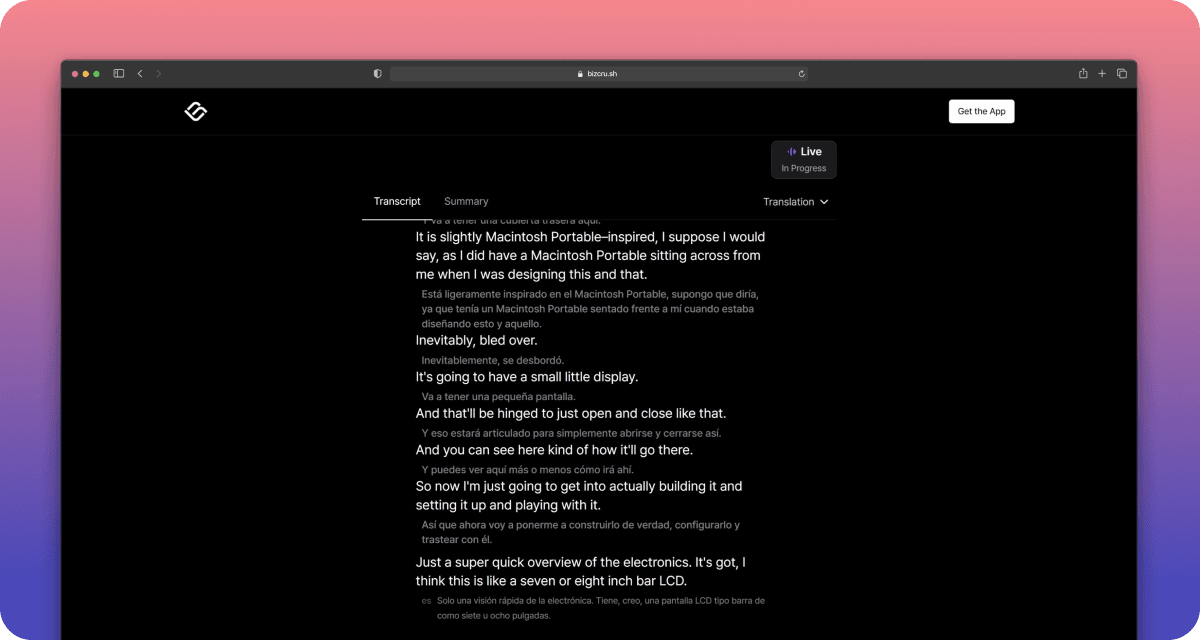
Share a live transcript, translation, and summary with anyone via a public link — no account required.
-
Built for conferences, lectures, or webinars where audiences can follow along in real time.
Source Links in Live Summary
-
Each key point in the live summary now includes a source link
-
Tap to jump directly to the exact moment in the transcript.
Post-Meeting Transcripts, Now Auto Translated
- Post-meeting transcripts are now automatically translated into the same languages you selected for live translation.
ver 0.22.10
Personalized Meeting Titles
- You can now set private meeting titles that are visible only to you.
Full Control Over Follow-Up Email Versions

- Your manual edits are saved only when you hit save button, giving you full control over version history and rollbacks.
Instant Email Follow-Ups
- You can now send personalized follow-up emails even while a meeting is still in progress.
Capture All Desktop Audio
- You can capture meeting audio directly from your desktop — no bot, no speakers, even with headphones or earbuds.
ver 0.21.40
Merge Speakers in Transcripts
-
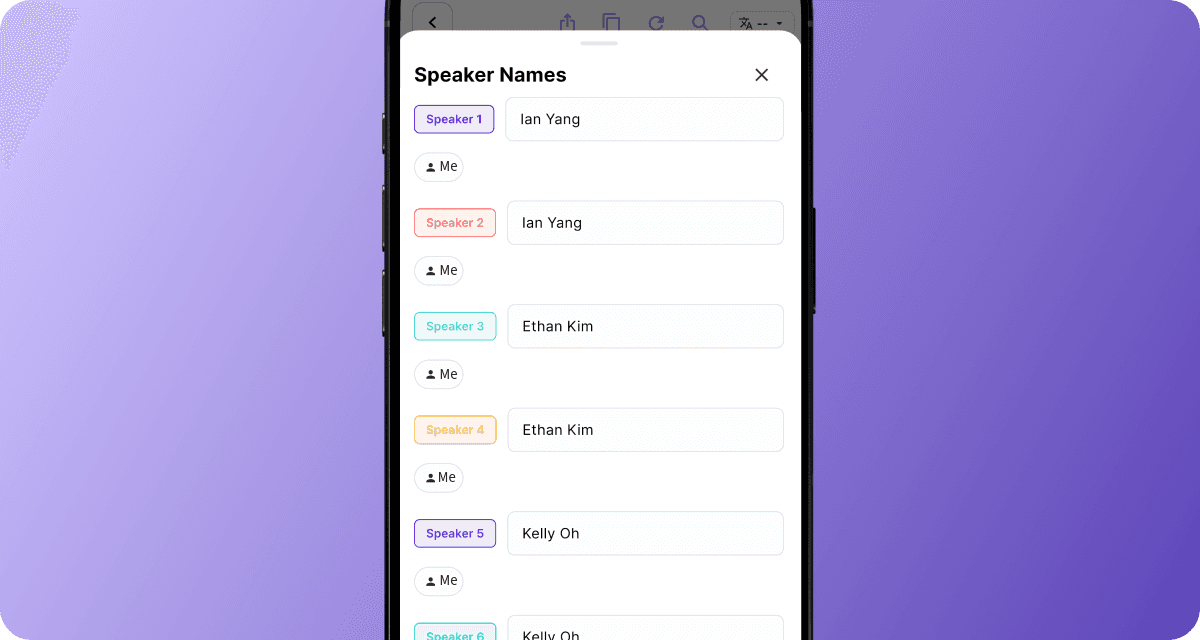
You can now merge multiple detected speakers into one by assigning them the same name.
-
This helps clean up transcripts.
Background Audio Uploads
-
Audio uploads now continue in the background.
-
You can switch apps or lock your screen while uploads complete.
ver 0.21.28
Custom Translation — Personalized, Real time for every participant
-
Now when the host enables “Allow Translation”, each attendee can choose their own preferred language and view a live translated script directly on any device (phone, desktop).
-
Mobile is live today and desktop support is coming soon. Stay tuned.
Custom Keyword for Context
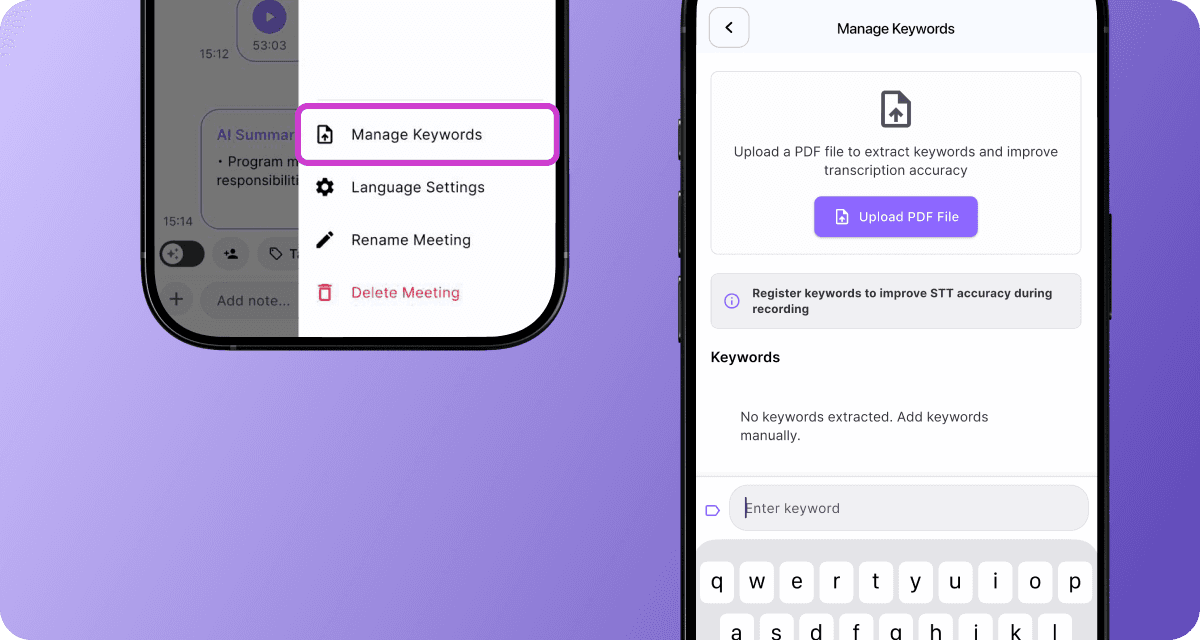
-
Add custom keywords or upload related documents to improve AI contextual understanding and deliver more accurate and topic-specific summaries and insights.
-
Go to Manage Keywords in the side menu to enter terms directly or Upload a PDF to extract keywords.
Follow-Up Email Customization with Ask AI
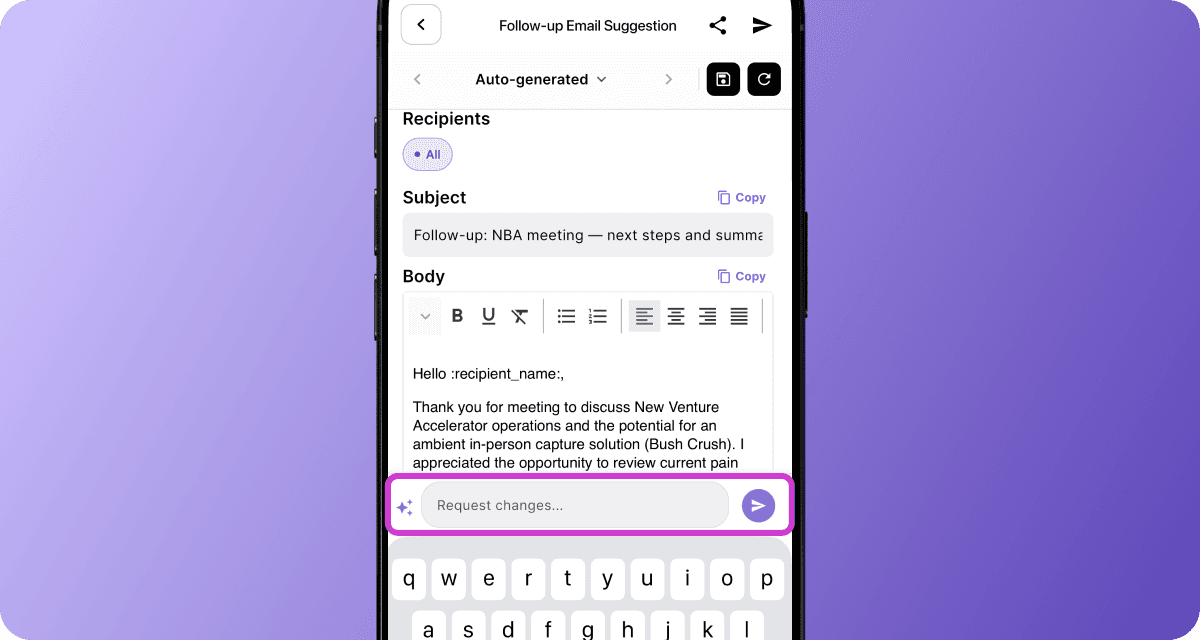
-
After clicking Follow-up Email, you’ll see the initial draft generated in your private tab.
-
Click Request Changes to instantly regenerate a revised email based on your instructions (e.g., adjust tone, add context, rewrite sections)
ver 0.21.18
Transcription Accuracy Improved
- Enhanced automatic audio control now keeps volume levels steady across speaker changes, delivering more accurate transcriptions, even in noisy environments.
ver 0.21.13
Desktop is Ready
- Use BizCrush seamlessly on desktop — fully synced with your app experience. Access BizCrush anywhere, on any device, with the same simplicity. (It’s currently available to beta users and will roll out to everyone very soon)
Post-Meeting Transcript Accuracy
- The post-meeting transcription is now more precise and consistent, providing a clearer, more reliable record of your conversation.
ver 0.21.03
Context-Aware Live Transcripts
- Live transcripts now automatically merge, split and correct sentences to provide better context and readability during your recording.
ver 0.20.06
Auto Recovery for Audio
-
Recordings are now auto-recover if the app closes unexpetedly.
-
When you reopen the app, your audio comes back instantly without meeting lost.
Custom Tag for Meetings
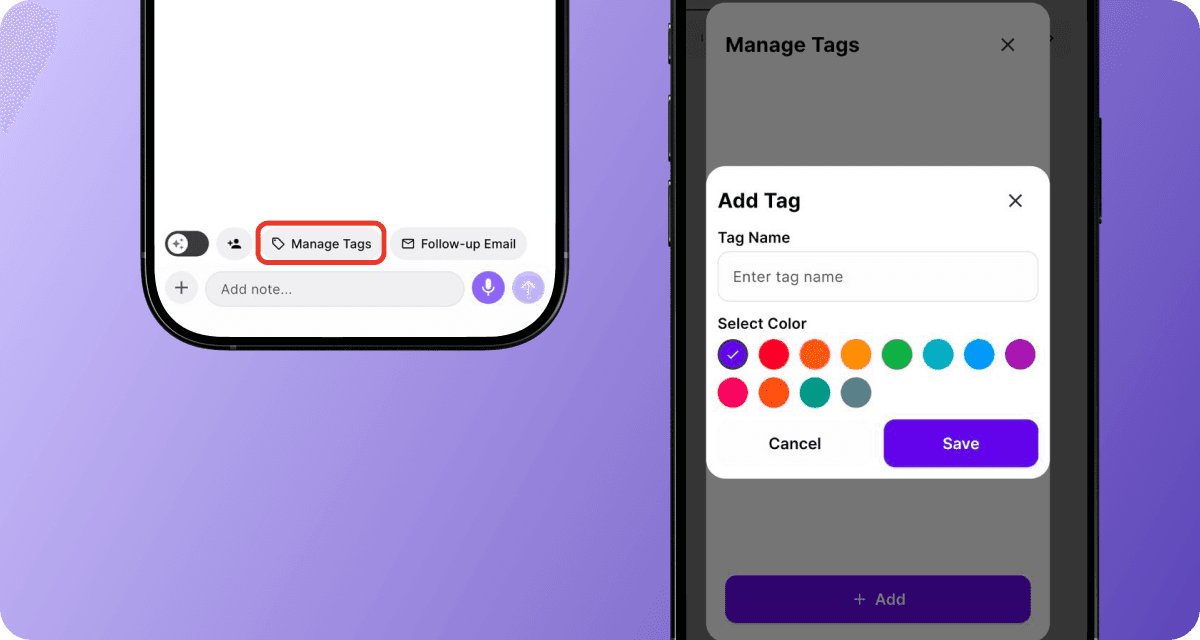
-
You can add custom tag to any meeting to categorize it.
-
You’ll soon be able to see all tags directly from the meeting list and quickly filter or search by them.
More Stable Live Transcripts
- Live transcript connection stability has been enhanced for reliability, providing a smoother experience during your meeting.
Update Existing Notion Pages
-
Updating now replaces the old Notion page with the latest summary or transcript.
-
If you record another session in the same room or new summary/transcript finishes processing, you can hit update to Notion and the page is replaced with the latest version.
ver 0.19.45
Manage Every Conversation in One place
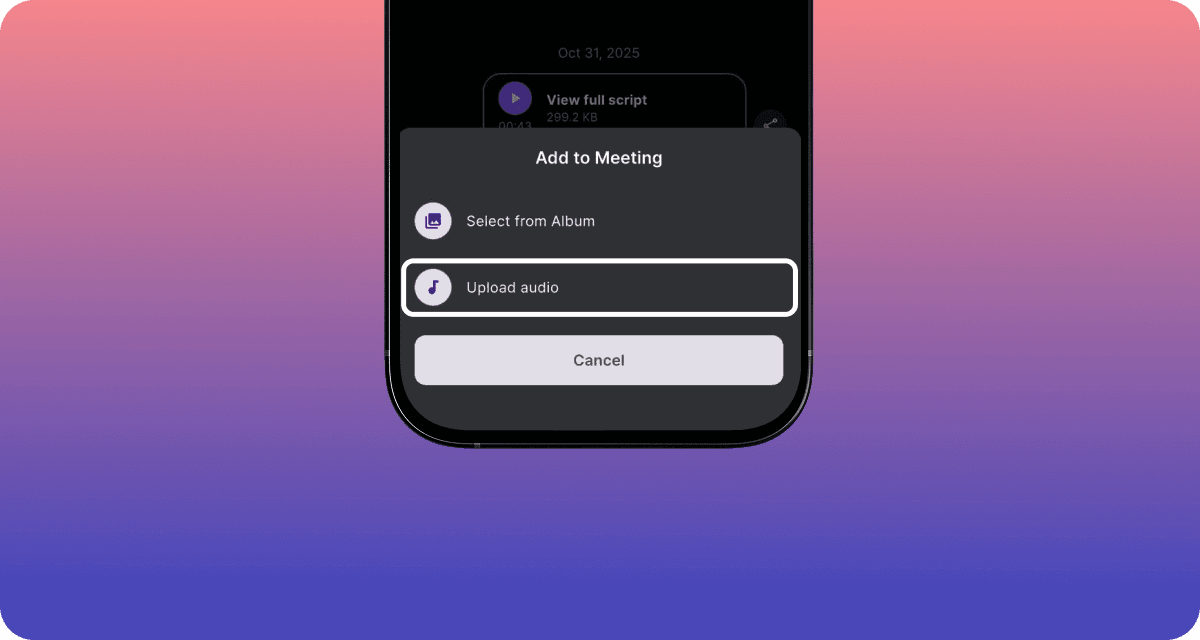
Finally, one of our most requested features are now live.
-
You can now bring your past recordings into BizCrush — manage and analyze them all in one place.
-
Upload external audio to generate summaries, transcripts, and follow-ups instantly.
-
In the meeting room, just tap + and Upload Audio, or share a file from apps like Voice Memos.
Instant Summaries — While You’re Still Talking

-
Get a live summary as your meeting unfolds.
-
Every 10 lines of conversation, we auto-create a fresh key-point summary.
-
Swipe right in the transcript to see key points in real time.
Simplified In-Meeting Controls
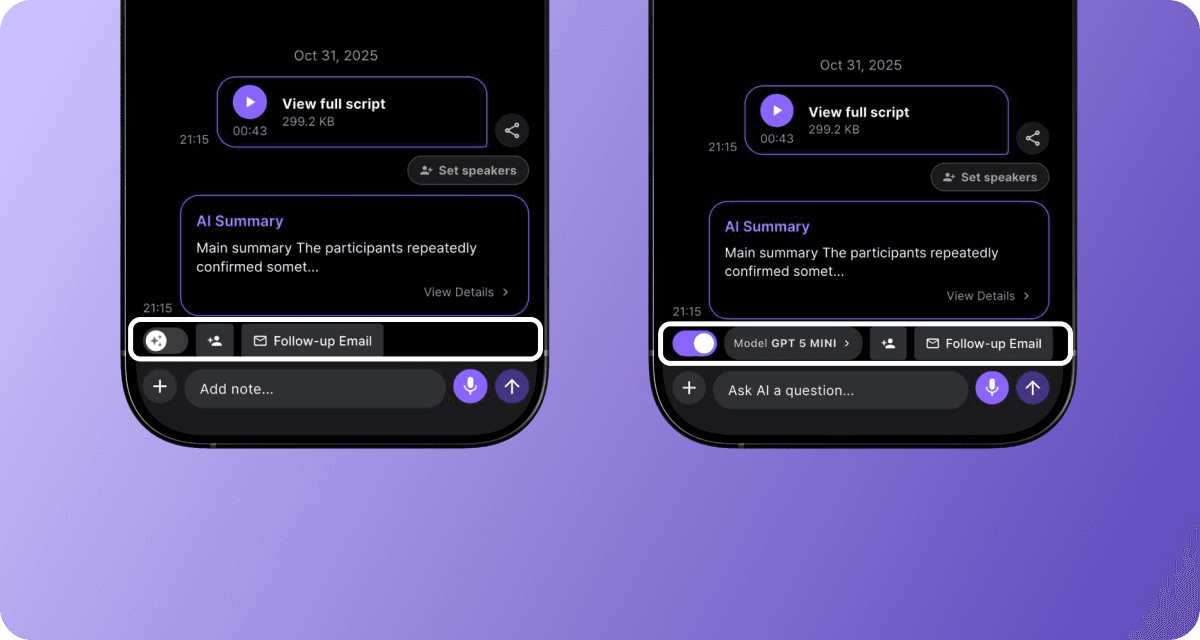
- The in-meeting toolbar has been redesigned for a cleaner look, providing a more focused interface during your meeting.
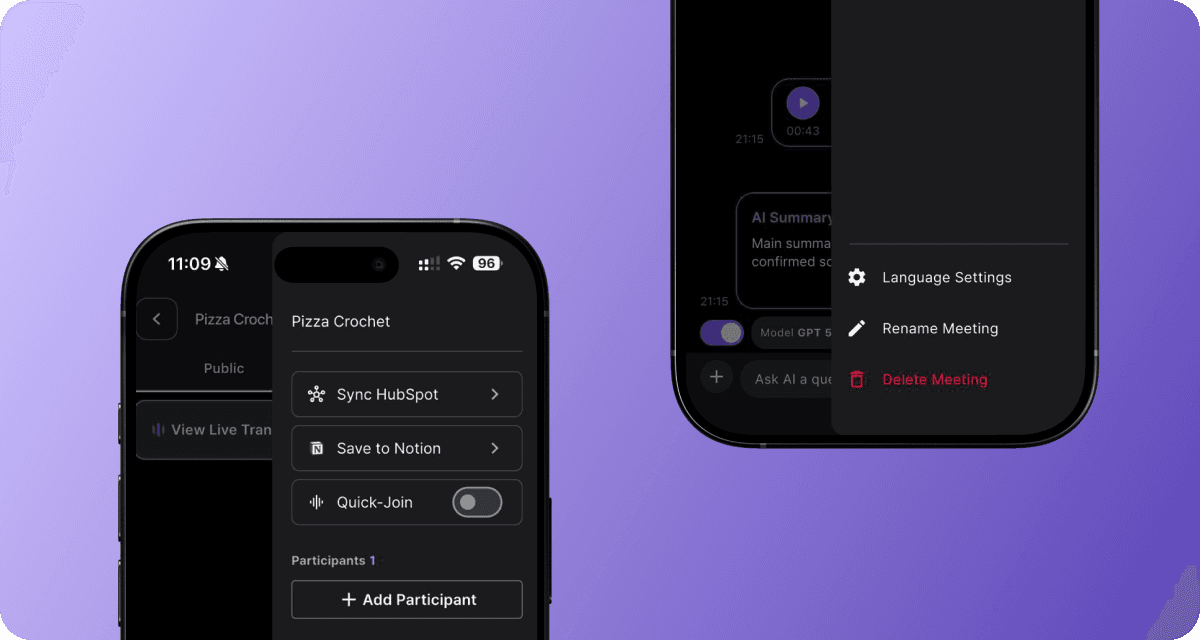
- Primary controls remain visible during meetings, while options like Sync HubSpot and Save to Notion are now neatly organized in the side menu.

Hubspot Integration Upgrade:
-
You can now map your custom fields directly in settings after the initial setup — making your data connections more precise.
-
Go to Settings → Edit Mapping to adjust which fields sync from BizCrush.
Multi-Workspace for Notion:
-
Save meeting notes across multiple Notion workspaces — switch anytime, stay organized.
-
Perfect for users managing multiple Notion environments or collaborating across teams.
Enhanced Foldable Phone Support
- Recording now stays on even when you close your foldable device. BizCrush keeps capturing audio in the background, so nothing gets missed.
Pause & Resume from Android Widget
- Control your recordings right from the home screen. Now you can** pause** or **resume **anytime without opening the BizCrush app.
ver 0.19.17
Pause and Resume Recording
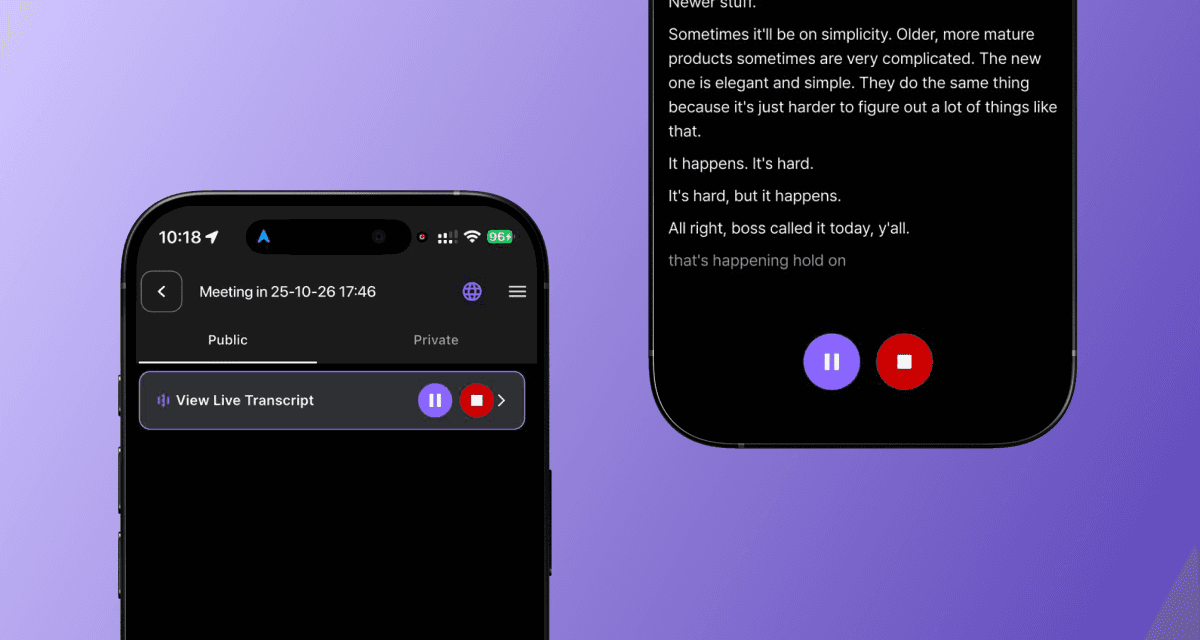
- Take a break anytime and stay in the same session — Just tap Pause to stop, then resume to pick up right where you left off.
ver 0.19.11
One-Tap Recording with Widget
- Start a recording instantly right from you Home Screen widget.
-
Home Screen Widget: Add the BizCrush widget to your Home Screen and tap Record to begin meeting instantly.
-
Capture faster: Never miss an important detail - capture conversations faster without needing to open the app first.
-
HubSpot Integration
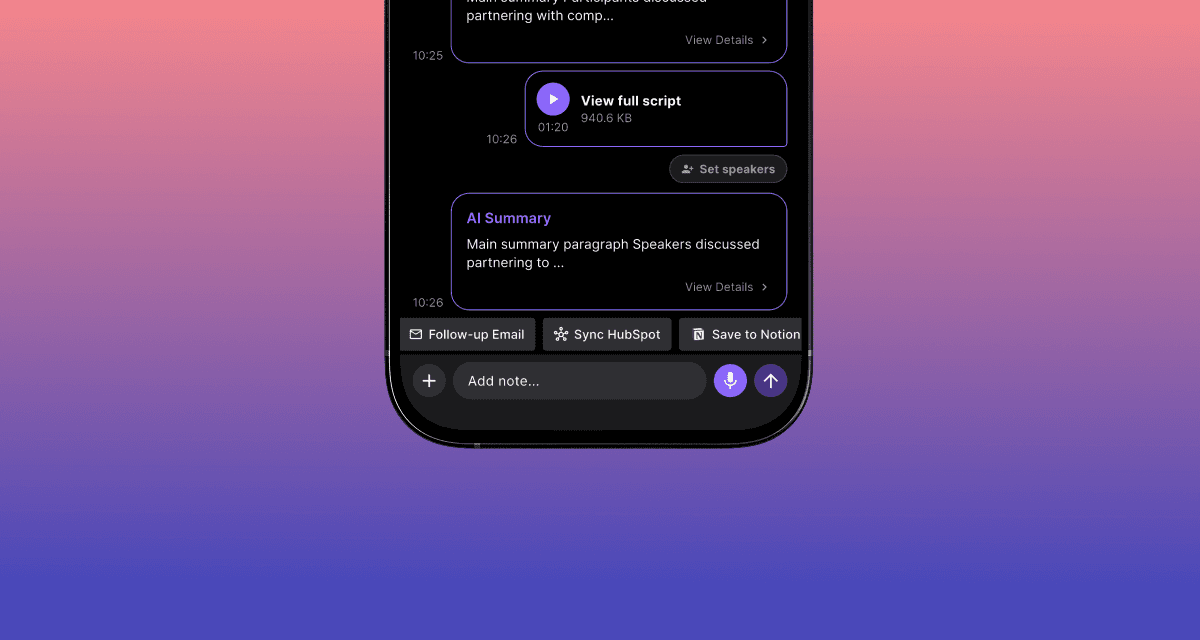
- Keep your CRM system automatically up-to-date with your meeting data.
-
Automatic sync BizCrush meeting details and contact information directly to your HubSpot account.
-
Authorize HubSpot, map custom fields, and eliminate the need for manual data entry.
-
Ask AI: Chat with Your Meetings
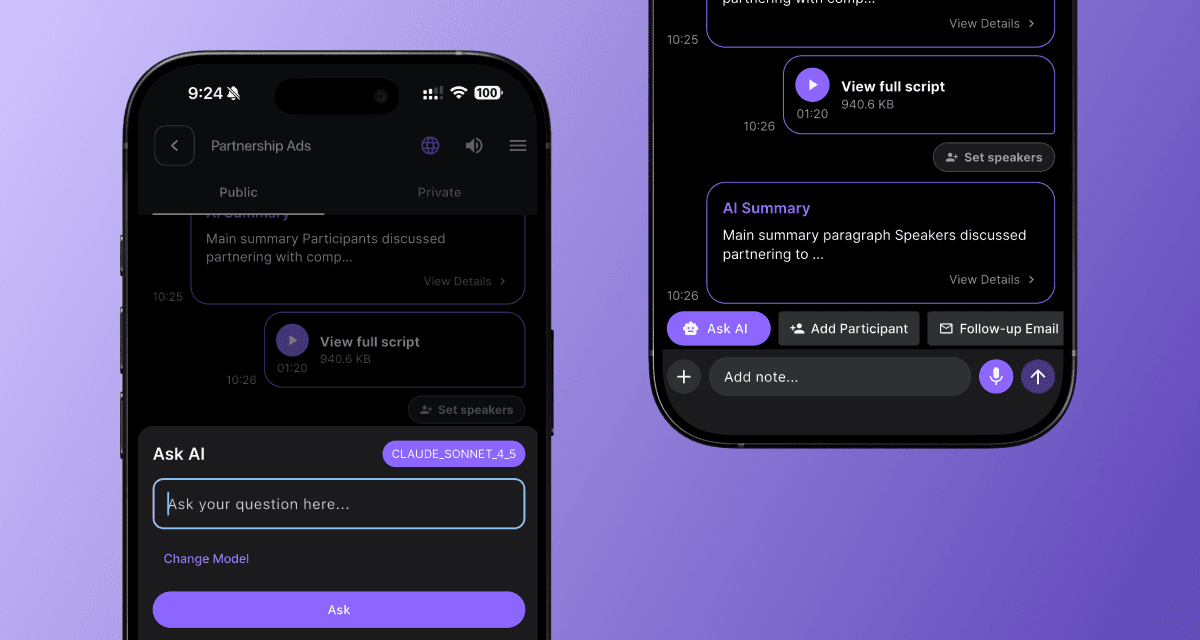
- Get instant answers and insights without having to re-read an entire transcript.
-
Tap the Ask AI button in the meeting room, select your preferred model, and type your question to get answer based on your meeting's transcript.
-
Quickly find key information or summarize complex discussions or generate new insights from conversation.
-
Tip: The 'Ask AI' feature currently supports models from GPT and Claude 4.5 Sonnet.
Rename Meetings
- You can now rename your meeting rooms by simply double-clicking the meeting title in the room.
ver 0.19.00
Environment Mode

-
Choose a best mode for your meeting environment ( top-right corner of the room)
-
Quiet mode: When you‘re speaking father from the mic, this mode boosts voice for clearer audio.
-
Standard mode: Ideal for normal surroundings.
Summary in Any Language

-
Once a meeting wraps up, get an instant summary in any language you choose
-
Share it anywhere with one click using copy transcript
ver 0.18.08
Quick Join - Let Everyone In Instantly
-
What’s New
- When the <Quick Join> option is turned on, anyone who joins via <Scan to Join> will be admitted to the meeting automatically, without host approval.
-
Why it Matters
- Perfect for 1 to many sessions like lectures, workshops and live demos, where multiple participants need to join quickly and share scripts at once.
-
How It works
-
Normally, each guests entering via <Scan to Join> must wait for host approval after typing their email.
-
Once <Quick Join> is turned on, all pending and new join requested are instantly admitted until the feature is turned off.
-
Set Speaker Labels
-
You can now set speaker labels. Each detected voice can be easily named so transcripts show exactly who’s speaking.
-
A Me checkbox lets you tag yourself as one of the speakers
ver 0.18.01
Notion Integration (Send Meeting Summary)
-
Connect your Notion workspace to instantly send meeting summaries to a Notion page — no more copy-paste.
-
Once linked, summaries are automatically delivered to your selected workspace.
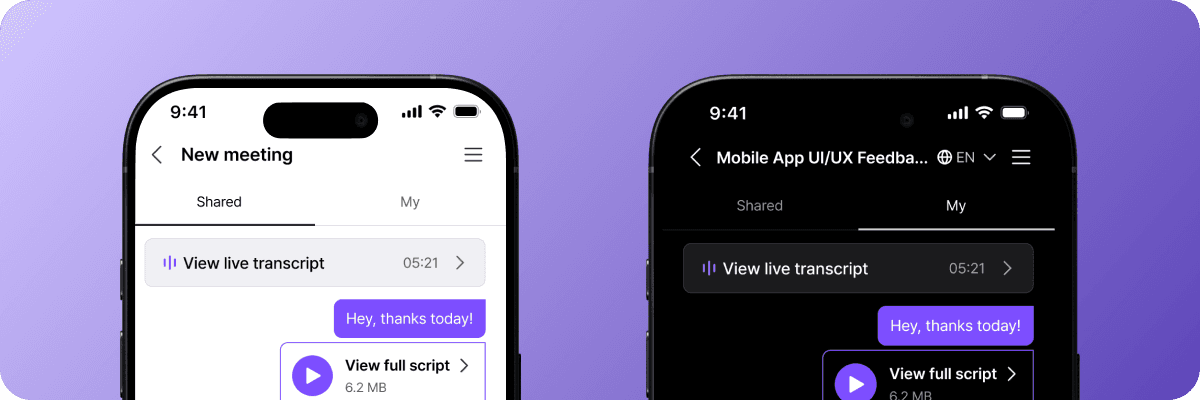
Meeting Tabs Split (Shared & My)
-
The Meeting tab is now separates Shared and My views to keep collaborative and private notes distinct.
-
Use My view for personal notes and follow-ups — only Shared items are visible to others.
Transcription Quality Refined
- Readability and consistency are improved, making reviews and summaizations faster.
ver 0.17.13
See More in Live Transcription (Web)
- View up to 30 minutes of live transcription in the web browser and let anyone you invite follow along.
Unlimited Key Highlights
- Meeting summary now highlights all detected key points.
Unified Transcript View
- After a meeting, you can see Live and Post-Meeting transcripts side by side on one screen.
ver 0.17.04
Live Script Translation
-
During meetings, you can see real-time translation in your preferred language alongside the original in the live transcript.
-
After meetings, you can see the full transcript in your preferred language with both languages side-by-side.
[Host only] Customize Speaker Labels
- After meeting, the host can edit speaker labels in the full transcript to make the conversation record clearer.
Playback Navigation
-
After meeting, by clicking on a specific word in the transcription, the player jumps precisely to that point.
-
A search bar has been added in the full script, allowing you to locate specific words and move directly to that point.
-
You can copy the entire script with one click.
ver 0.16.16
Invitation Email UI Refresh
-
Recipients can see meeting details and join options instantly, making participation quicker.
-
Clearer layout with better readability and button visibility on both mobile and desktop.
Recording Consent UX Streamlined
-
Web/App flow is simpler and more intuitive.
-
Participants can easily review and confirm consent before joining.
Recording Consent Stability Enhanced
-
Fixed rare cases where consent wasn’t properly saved.
-
Consent status is now always captured and stored reliably.
ver 0.16.04
Meeting Room Consent & Host Approval Process Introduced
-
Anyone can easily join a meeting room via a host-generated QR code, submit an attendance request, and provide recording consent in advance.
-
Hosts can approve or deny attendance requests before participants enter the meeting room.
-
Non-logged-in users can view part of the live transcription on the web and move directly into the meeting room after installing the app.
Dark/Light Mode Toggle in Settings
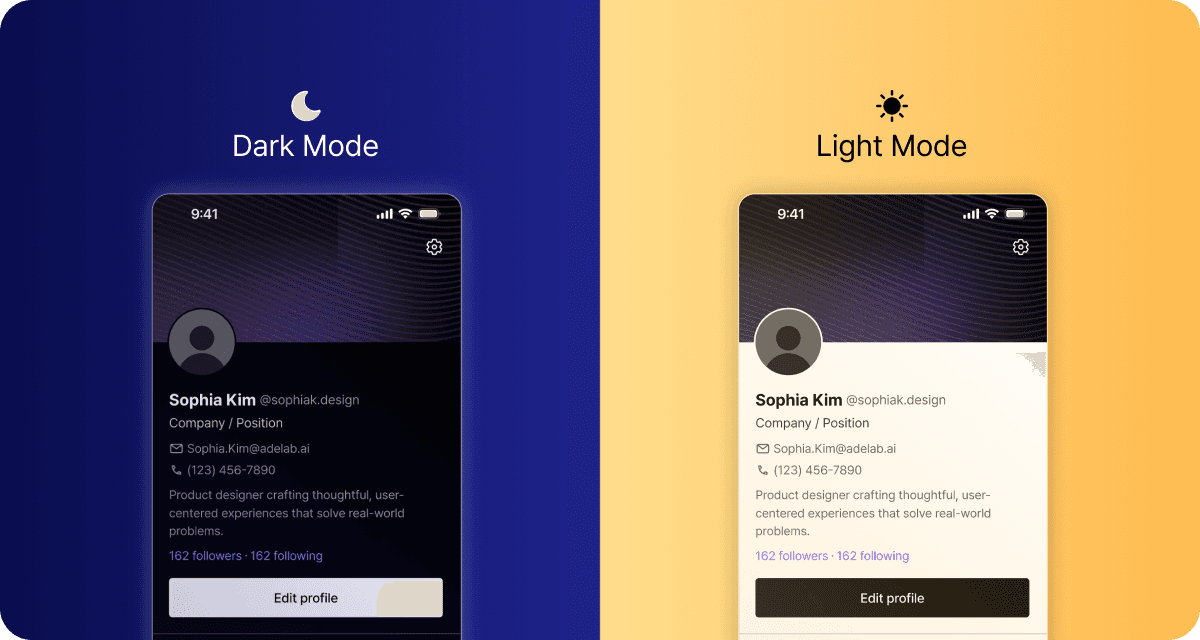
- Users can now switch between Dark Mode and Light Mode from the Settings tab.
ver 0.13.15
Invitation Link Upgrade
- When inviting participants, they now receive a direct link that takes them straight into the meeting room.
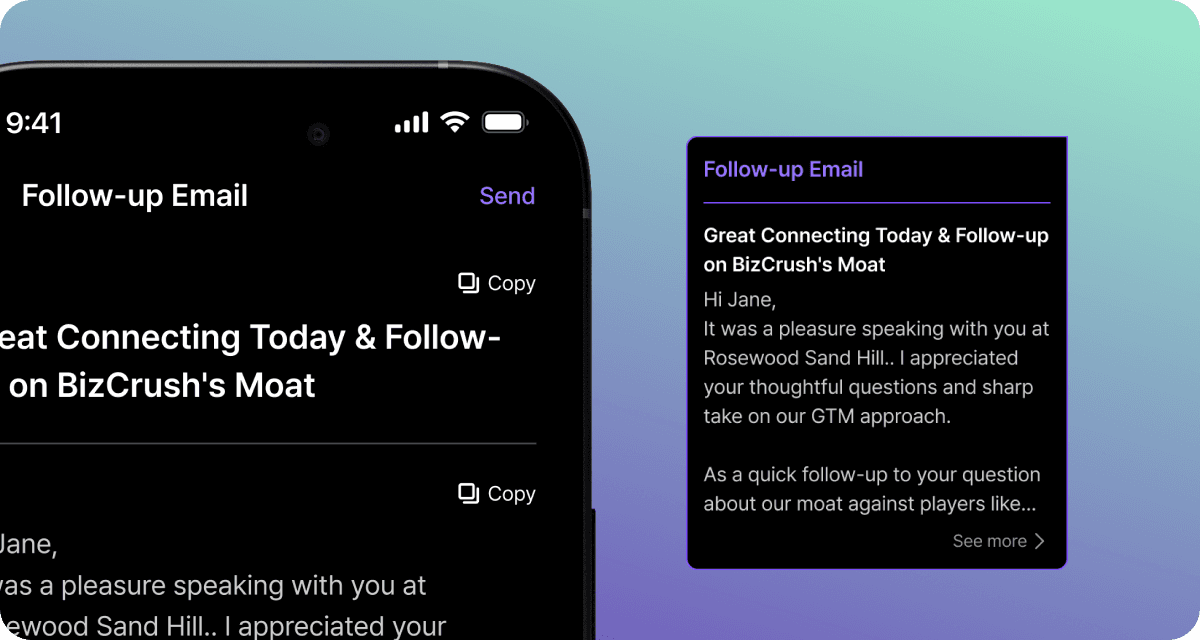
Email Draft Enhancements
-
Email drafts are now structured more clearly, split into Key Features and Next Steps.
-
You can now copy the email draft with a single Copy button.
ver 0.13.14
Meeting Tab Improvements
-
Language selection is now available in meetings (applies to summaries, follow-up emails, and live transcription).
-
Meeting summaries are now organized into Key Points, Next Steps, and Recommendations.