




LiveTWS · YouTube

Hear K-pop lives in your language
Your idol speaks Korean. You hear it in your language, as voice or captions, in real time.
Right in your computer’s browser. Start free.
Now also on iPhone and Android with the CapCrush app (formerly BizCrush for K-pop Lives).
Excerpted, with AI-translated captions and synthesized voice added. 생활코딩 is not affiliated with this service.
CapCrush app for iPhone & Android
Captions in your language, in a small window over the video or live app you’re watching. Captions only, no interpreter voice.
Coming up
BizCrush is not affiliated with Weverse, HYBE or any agency or artist. Artist names and schedules are taken from official announcements.
How is this different from membership subtitles?
| CapCrush | Weverse membership subtitles | |
|---|---|---|
| Interpreter voice | Yes — hear it in your language | No (subtitles only) |
| Languages | 60 languages, voice and captions | Up to 16 subtitle languages for Korean lives |
| Membership | Not needed | Required |
| Platforms | Any live in a browser tab — Weverse, YouTube and more | Weverse only |
| Phone | iPhone & Android: CapCrush app (captions) · computer: Chrome or Edge | Yes (app) |
Weverse membership subtitles: Weverse notice, October 16, 2025.
Get started
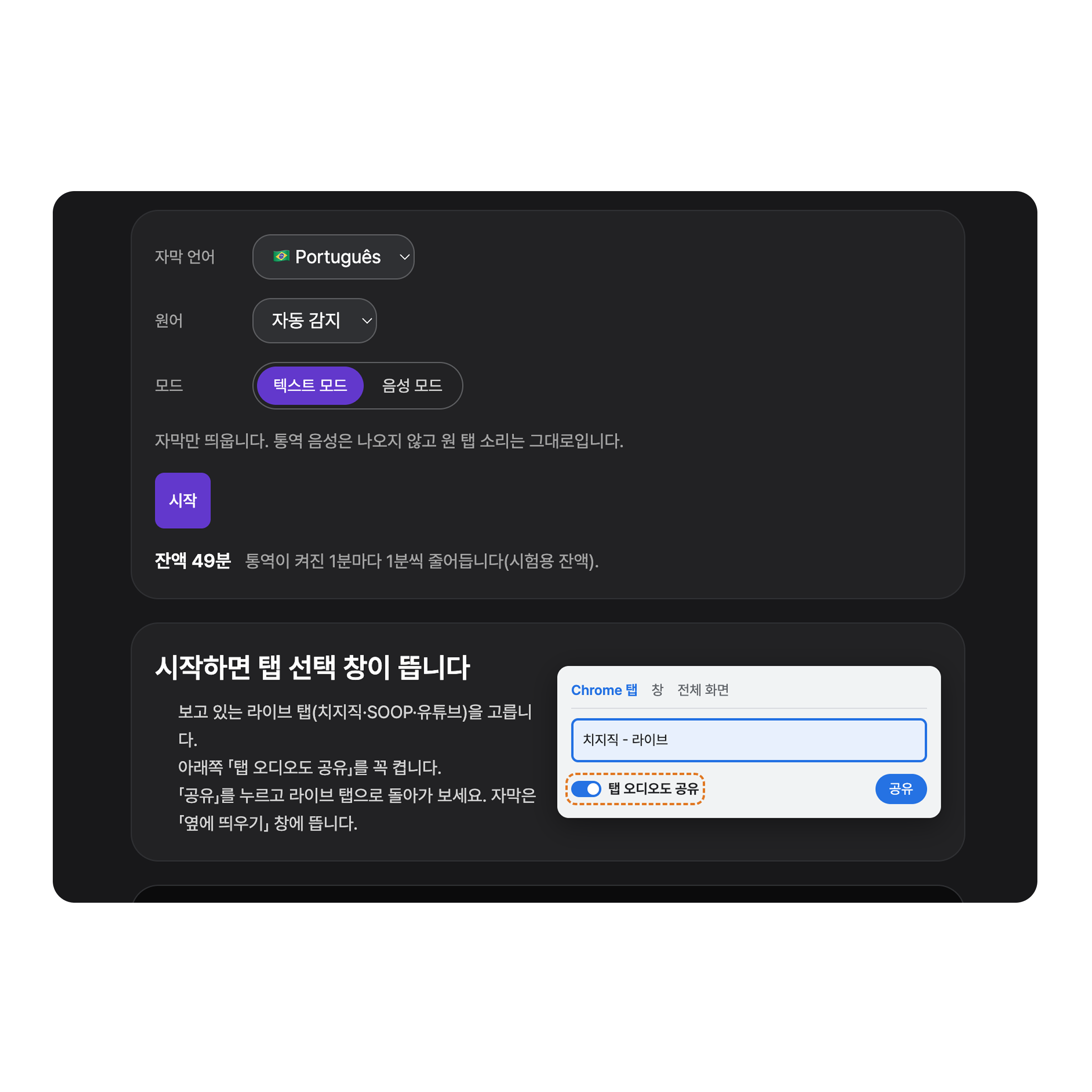
Play the live in Chrome or Edge. When you start, pick the browser tab where the live is playing and turn on “Also share tab audio”.
Pick your language, then choose Text mode to read captions only, or Voice mode to hear interpreted audio as well.
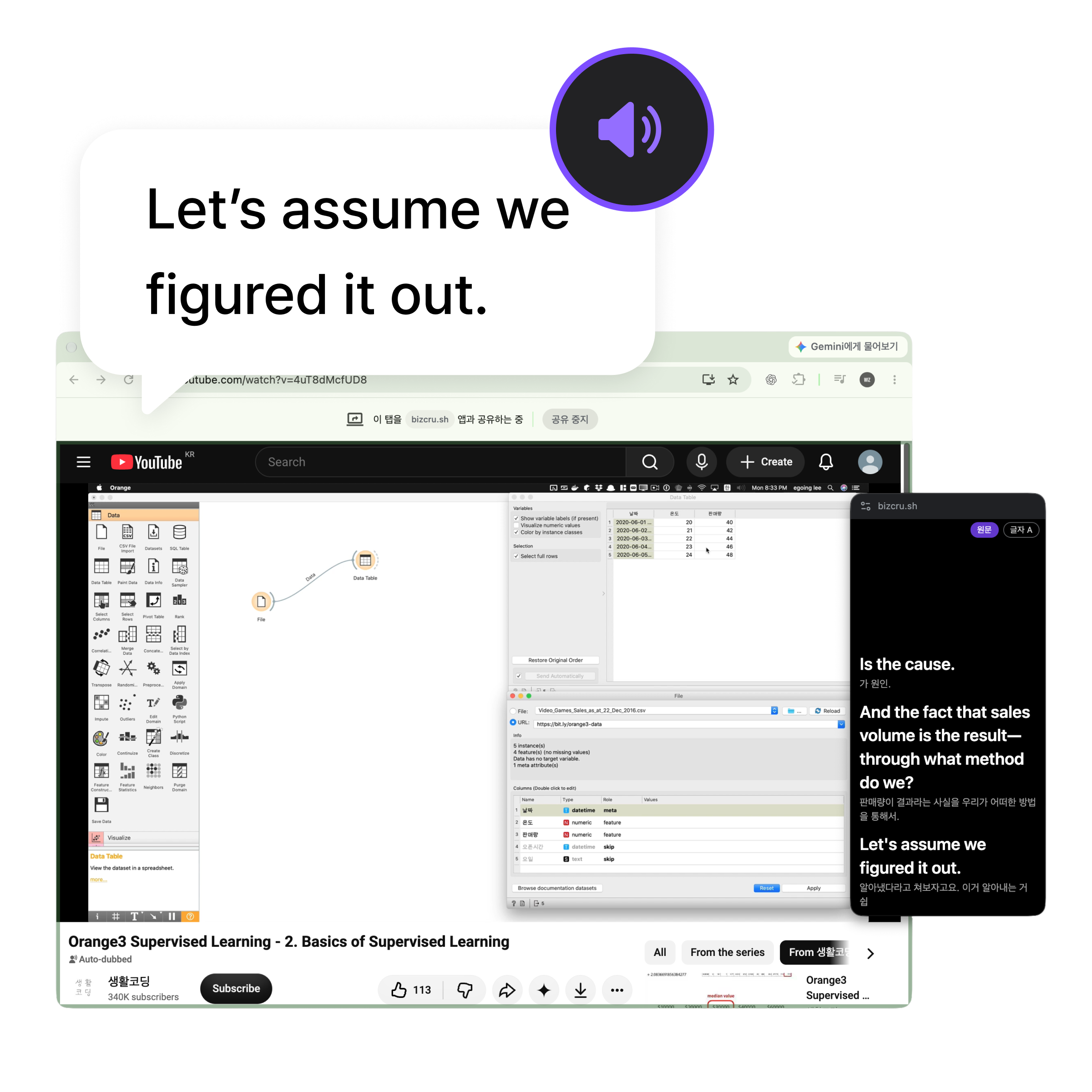
Enjoy the stream with real-time captions and voice translation.
Step-by-step: how to translate a Weverse live
Two ways to watch

Voice mode (PC only)
Watch while hearing the interpretation
See captions and hear the interpreted voice together. The original audio goes quieter while the interpretation plays.
- Real-time captions and interpreted voice
- Talking and singing are both translated

Text mode
Watch while reading captions
Listen to the original audio while reading translated captions.
- Choose the caption language
- Captions in a separate window
When to use it
The live started and you have no membership
You want to watch their faces, not read
Members switch to Japanese or English mid-live
Lives on YouTube or other sites with no captions
Start free
Free
No card needed to try it.
- Try it for 5 minutes without logging in
- Log in for 3 hours on the free BizCrush plan
- Interpreter voice and captions in 60 languages
- Voice mode and Text mode
- Talking and singing are both translated
Frequently asked questions
Is it free?
Yes, to start. You can try it for 5 minutes without logging in, and a free BizCrush account gives you 3 hours.
Can I use it in the Weverse mobile app?
On iPhone and Android, use the CapCrush app: it shows captions (no interpreter voice) in a small window over the video or live app you’re watching. Some apps restrict capture or protect their content, so CapCrush may not work with every app or video. On a computer, it works in Chrome or Edge as before, with voice or captions.
Do I need a separate membership?
Not for the translation. You still need access to the live itself on the platform you’re watching.
What if speakers mix several languages?
The system recognizes and translates each language automatically, with no setup. Songs are translated too.
Which languages are supported?
Voice interpretation and captions in 60 languages. Popular ones: 英文, 印尼文, 西班牙文, 葡萄牙文, 日文, 泰文, 越南文, 菲律賓文, 中文, 韓文, 馬來文, 法文, 阿拉伯文, 俄文, 德文, 土耳其文, 印地文, and more.
Can the artist or others in the chat see it?
No. Captions and voice play only on your own device and are never shared to the live or the chat.
Is the live audio saved?
On a computer (web), no: audio and caption data are not stored. In the CapCrush app for iPhone and Android, audio is not stored, but the recognized and translated caption text is saved to your account (see the CapCrush privacy policy).
Which browsers are supported?
Chrome and Edge on a computer. (Safari and Firefox aren’t supported.) On iPhone and Android, use the CapCrush app for captions.
Your favorite lives, in your language
Connect your live tab and watch in Text or Voice mode.